
Quick Answer
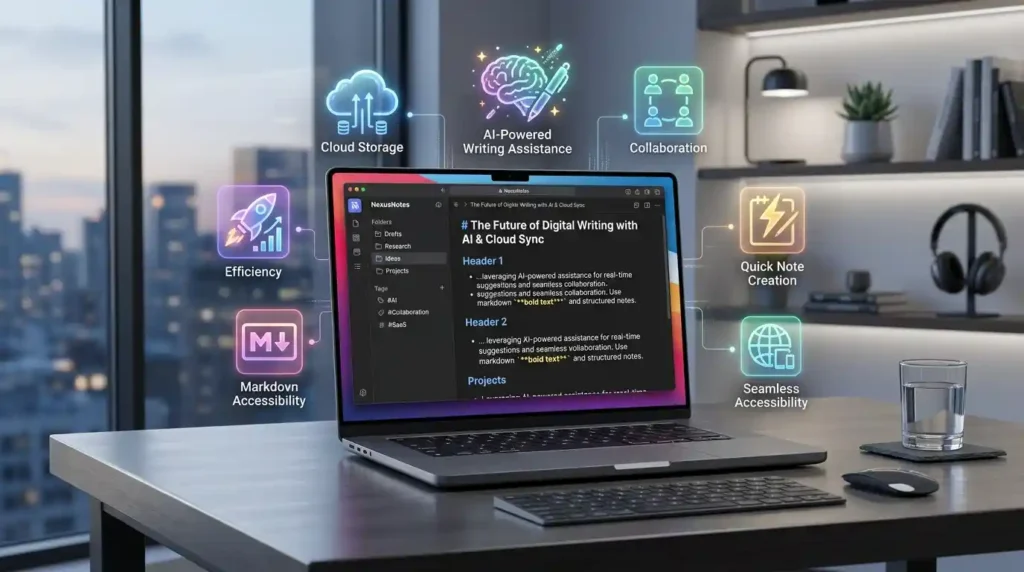
An online notepad is a browser-based text editor that lets you write, edit, and save notes instantly without downloading any software. The best free online notepad tools in 2026 include Mega Free Tools Notepad, Google Keep, Microsoft OneNote, Simplenote, and Notion — each offering features like autosave, cloud sync, and cross-device access.
Key Takeaways
- Online notepads work entirely in your browser — no installation required
- The best tools offer autosave, word count, and export options like PDF
- Many free online notepads require no sign-up or account creation
- Browser-based text editors are ideal for students, writers, freelancers, and remote workers
- Tools like Mega Free Tools Notepad offer instant writing with zero friction
- Cloud-based notepads sync notes across devices automatically
- Privacy-focused options store notes locally in your browser without uploading to servers
- Distraction-free interfaces help improve writing focus and productivity
- Most top online notepads support markdown, plain text, and formatted writing
- Exporting notes as PDF or downloading as a text file is standard in quality tools
Introduction
You’re in the middle of an idea and your usual app is buried under six open windows. You don’t have time to open Word, wait for it to load, and figure out where to save the file. You just need to write — right now.
That’s exactly why millions of people search for a reliable online notepad every single day.
An online notepad solves a very specific problem: it gives you a clean, instant writing space inside your browser. No downloads. No accounts. No distractions. Just you and a blank page.
Whether you’re a student jotting down lecture notes, a freelancer drafting a quick email, or a developer logging a code snippet, the right browser-based writing tool can genuinely change how you work. This guide covers everything you need to know about the best online notepad tools available in 2026, what to look for, and how to pick the one that fits your workflow.
What Is an Online Notepad?
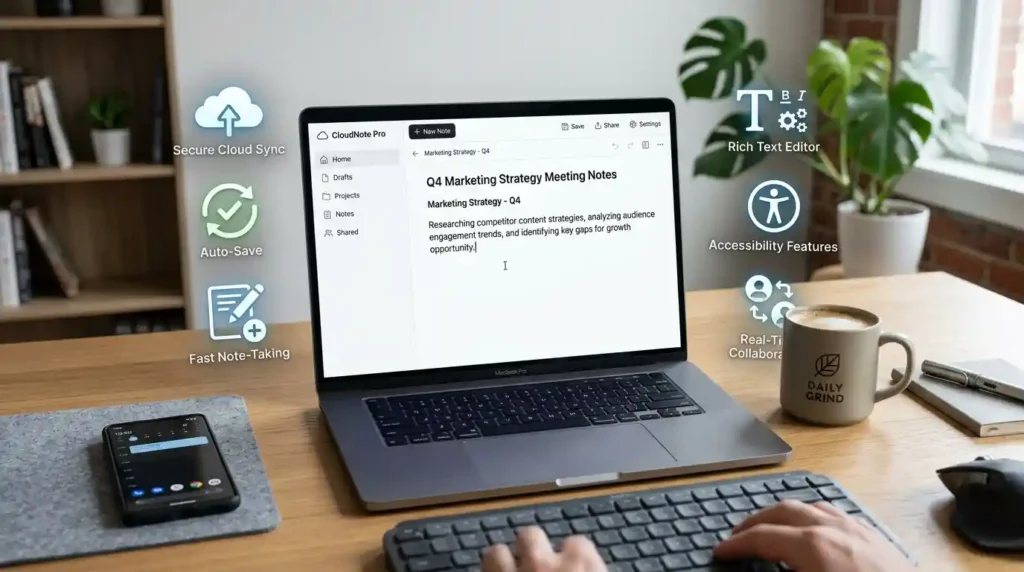
An online notepad is a web-based text editor that runs directly in your browser. Unlike traditional desktop applications like Windows Notepad or Microsoft Word, you don’t need to install anything. You simply open a URL and start typing.
At its core, an online notepad is designed for speed and simplicity. It strips away the complexity of full word processors and gives you what you actually need: a responsive, clean space for capturing text quickly.
Modern browser-based notepads have evolved well beyond simple text boxes. Today’s tools often include autosave functionality, word count displays, dark mode, markdown support, PDF export, and even cloud synchronization across devices. Some tools store your notes locally in browser storage for privacy, while others sync to cloud servers so you can access your notes from anywhere.
The key difference between an online notepad and a document editor like Google Docs is simplicity and intent. A notepad is for quick, low-friction writing. A document editor is for structured, formatted, collaborative documents. Both have their place — but when speed matters, an online notepad wins.
Why Online Notepad Tools Have Become Essential in 2026
The shift toward remote work, cloud computing, and device-agnostic workflows has made browser-based productivity tools more valuable than ever. People are no longer tied to a single computer. They move between phones, tablets, laptops, and shared workstations — and they need their tools to move with them.
Here’s why online notepads have earned a permanent place in digital workflows:
No installation friction. You can open a web-based text editor on any device with a browser, including Chromebooks, public computers, smartphones, and tablets. There’s no version compatibility to worry about, no license key to enter, and no update prompts interrupting your work.
Speed over everything. When inspiration strikes or a task needs capturing immediately, the fastest tool wins. An online notepad loads in seconds, puts a cursor in front of you, and gets out of the way.
Privacy where it counts. Several browser-based notepads store your text locally using browser storage rather than uploading it to a server. For sensitive writing — personal reflections, private notes, draft content — this matters a great deal.
Cross-device access. Cloud-synchronized notepads let you start writing on your phone during a commute and continue on your laptop at the office without skipping a beat.
Free and accessible. The best online writing tools are completely free, making them practical for students, solopreneurs, and anyone managing a tight budget.
How Online Notepad Tools Work
Understanding what’s happening behind the scenes helps you choose the right tool for your needs.
Most browser-based notepads operate using one of two storage approaches: local browser storage or cloud synchronization.
Local browser storage tools save your text directly to your browser using technologies like localStorage or IndexedDB. Your notes stay on your device, never touching an external server. This is fast, private, and works offline once the page is loaded. The trade-off is that clearing your browser data can erase your notes unless you export them first.
Cloud-synchronized tools store your notes on remote servers. You get seamless access from any device, automatic backups, and often the ability to share notes with others. The trade-off is that you typically need an account, and your data lives on someone else’s infrastructure.
The best online notepads also offer manual export options — downloading your notes as a plain text file, a PDF, or copying content to your clipboard. Tools like the Mega Free Tools Notepad handle this cleanly, letting you write without creating an account and save or export whenever you’re ready.
Some advanced tools support markdown formatting, which lets you write structured content using simple symbols like # for headings and ** for bold text. This is particularly useful for developers, bloggers, and technical writers who work with formatted content regularly.
Key Features to Look for in an Online Notepad
Not every online notepad is built the same. When you’re comparing tools, these are the features that actually matter:
Autosave functionality is non-negotiable. Losing work because you closed a tab is infuriating. A good online notepad saves your text automatically as you type, using browser storage or cloud sync.
Word count and character count support is valuable for writers working within specific length requirements — blog posts, social media captions, academic assignments, or content briefs.
Distraction-free interface means a clean, minimal design that keeps your focus on the text. No toolbars you don’t need. No menus fighting for attention.
No login required is a significant convenience feature. The best free online notepads let you jump straight to writing without creating an account.
Export options including PDF, TXT, and clipboard copy let you move your work wherever it needs to go. The text-to-PDF converter at Mega Free Tools pairs naturally with notepad work when you need a polished document from your rough notes.
Dark mode reduces eye strain during extended writing sessions, which matters for anyone doing serious work after hours.
Mobile responsiveness ensures the tool works just as well on a phone as it does on a desktop.
The Best Free Online Notepad Tools in 2026
Here’s an honest look at the tools worth your time:
Mega Free Tools Online Notepad
The Mega Free Tools Online Notepad is purpose-built for quick, frictionless writing. It opens instantly in your browser, requires no account or registration, and keeps your text until you’re ready to save or export it. The interface is clean and minimal — exactly what you want when you need to capture something fast. It integrates naturally with other tools on the Mega Free Tools platform, so you can write your notes and then convert them to PDF, run a word count, or process the content through other utilities without switching platforms.
Google Keep
Google Keep is a cloud-based note-taking tool from Google that emphasizes speed and simplicity. It supports color-coded notes, labels, reminders, and cross-device sync through your Google account. It’s particularly strong for list-makers and people already inside the Google ecosystem. The trade-off is that you need a Google account to use it.
Microsoft OneNote
Microsoft OneNote is a full-featured digital notebook that goes well beyond simple text capture. It supports rich formatting, drawings, audio clips, embedded files, and real-time collaboration. It’s the right tool for deep, structured note-taking, though it’s considerably heavier than a quick browser-based notepad. OneNote works best for users already in the Microsoft 365 environment.
Simplenote
Simplenote lives up to its name. It’s a lightweight, cloud-synced notepad that works across all major platforms. It supports markdown, version history, and note sharing. The interface is deliberately bare, making it popular with writers who value focus above all else. The free version covers most needs.
Notion
Notion blurs the line between a notepad and a full productivity platform. It supports pages, databases, kanban boards, calendars, and collaborative editing. It’s overkill for a quick note, but it’s powerful for people who want to build an organized knowledge base over time. The free plan is generous for individual users.
Evernote
Evernote has been a staple of the note-taking world for years. It supports rich text, web clipping, file attachments, and powerful search. Recent pricing changes have made the free tier more limited, but it remains a strong option for users who need robust organization features.
Comparing the Top Tools at a Glance
| Tool | Free Plan | No Login | Autosave | Export | Dark Mode |
|---|---|---|---|---|---|
| Mega Free Tools Notepad | Yes | Yes | Yes | Yes | Yes |
| Google Keep | Yes | No | Yes | Limited | Yes |
| Simplenote | Yes | No | Yes | Yes | Yes |
| Microsoft OneNote | Yes | No | Yes | Yes | Yes |
| Notion | Yes | No | Yes | Yes | Yes |
| Evernote | Limited | No | Yes | Limited | Yes |
Best Use Cases for Online Notepads
Understanding who benefits most from these tools helps you find the right fit.
Students use online notepads to capture lecture notes quickly without the overhead of a full word processor. When you’re typing fast to keep up with a speaker, simplicity is everything. After class, you can use a word counter to check your notes against assignment length requirements.
Freelancers and content writers rely on browser-based text editors for drafting content before moving it into a CMS or document editor. It keeps the writing process clean and separate from formatting.
Developers use quick online notepads for storing code snippets, command references, and configuration notes. Pair it with a JSON validator when working with structured data.
Remote workers use cloud-synced notepads to keep notes accessible across work laptops, personal devices, and phones — without emailing themselves files.
Writers and bloggers use distraction-free online writing tools to get first drafts done without interruption, then move polished content into their publishing platform.
Common Mistakes to Avoid When Using Online Notepads
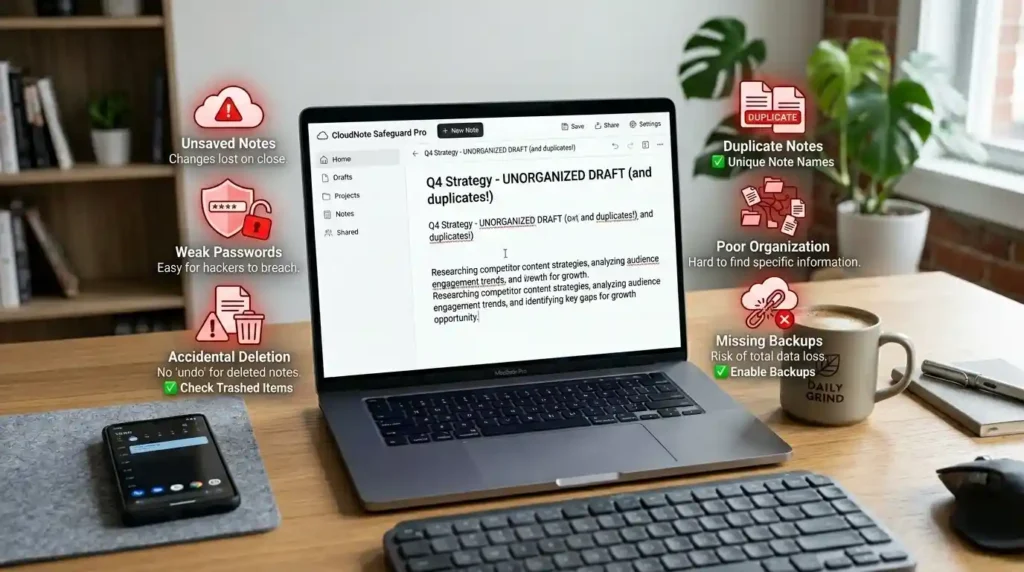
Even a simple tool can be misused. Here are the mistakes that cause real problems:
Not exporting important notes. If you’re using a browser-local notepad, clearing your browser data wipes your notes permanently. Export anything important as a text file or PDF before closing the tab.
Using a full document editor when you need a quick notepad. Loading Google Docs or Word for a five-line note wastes time. Use the right tool for the task.
Storing sensitive data without understanding where it goes. Before entering passwords, private information, or confidential content, understand whether the tool stores data locally or on a server. Use tools with clear privacy practices.
Ignoring mobile compatibility. If you write across devices, test your chosen notepad on mobile before committing to it. Some tools that look great on desktop become frustrating on a phone.
Not using available productivity features. Word count, markdown support, and export options are there to help you. Many users ignore them and work harder than necessary.
Real-World Example: How a Freelance Writer Uses Online Notepads Daily
Here’s a practical workflow that shows how these tools fit into real work.
A freelance content writer starts each day by opening the Mega Free Tools Notepad as a daily capture space. Meeting notes, quick research points, headline ideas, and client feedback all go into this running document throughout the day. No account needed, no loading screens, no friction.
When a piece is ready to move forward, the writer uses the word counter tool to confirm length, then exports the text. If a client needs a PDF version of a draft, the text-to-PDF converter handles it in seconds. If images need to be prepared alongside the content, tools from the Mega Free Tools platform — like the image compressor or background remover — are right there without needing to open a different site.
The whole workflow lives in one browser tab ecosystem, which saves time and reduces the cognitive overhead of switching between applications.
Future Trends in Online Note-Taking
The note-taking space is evolving quickly, and several developments are worth watching.
AI-assisted writing inside notepads is already appearing in tools like Notion AI and Google Keep. Expect more online notepads to offer AI-powered summarization, auto-tagging, and smart suggestions by the end of 2026.
Voice-to-text integration is making browser-based notepads accessible to users who prefer speaking over typing. This is particularly valuable for people with mobility limitations or anyone who thinks faster than they type.
Real-time collaboration is moving down-market from full document editors into lighter notepad tools. The ability to share a live notepad link and co-edit is becoming a standard expectation.
Privacy-first design is a growing priority. Users are increasingly aware of where their data lives, and tools that offer local-only storage, end-to-end encryption, and minimal data collection are gaining ground.
Semantic note organization powered by AI will make it easier to find related notes, surface forgotten information, and build a personal knowledge system automatically rather than through manual folder structures.
Why Mega Free Tools Stands Out for Quick Online Writing
Among browser-based writing solutions, Mega Free Tools takes a different approach. Rather than building a standalone note app with subscription tiers and feature bloat, the platform focuses on giving you what you actually need, immediately and for free.
The online notepad is fast, clean, and requires no account. You can write, export, and move on. If your workflow needs more — converting your notes to a PDF with Word to PDF, compressing a file with the PDF compressor, or generating a QR code for a link in your notes — everything is available in the same place without signing up for multiple services.
For students, writers, developers, and remote professionals who value speed and simplicity over feature sprawl, this kind of integrated free toolkit represents exactly what modern digital work actually needs.
FAQ: Best Online Notepad Tools for Quick Writing
What is an online notepad? An online notepad is a browser-based text editor that lets you write and save notes without downloading any software. It works directly in your web browser and is typically faster and simpler than a full word processor. Most free online notepads require no account or registration, making them ideal for quick writing tasks on any device.
Is an online notepad free to use? Yes, the best online notepads are completely free. Tools like Mega Free Tools Notepad, Simplenote, and Google Keep offer free plans with all the core features most users need, including autosave, export, and cross-device access. Some platforms like Evernote have moved toward limited free tiers, but plenty of high-quality free alternatives exist.
Can I use an online notepad without creating an account? Yes. Many browser-based notepads, including the Mega Free Tools Online Notepad, work without any sign-up or login. You simply open the tool in your browser and start writing. Notes are stored in your browser locally, so your data doesn’t leave your device unless you choose to export it.
Which online notepad automatically saves my work? Most quality online notepads include autosave functionality. The Mega Free Tools Notepad, Google Keep, Simplenote, Notion, and Microsoft OneNote all save your work automatically as you type. For browser-local tools, autosave stores content in your browser’s local storage, so it persists between sessions as long as you don’t clear your browser data.
What’s the difference between an online notepad and Google Docs? An online notepad is designed for quick, low-friction writing — no formatting toolbars, no collaboration menus, no document setup. Google Docs is a full word processor built for structured, formatted documents and team collaboration. For a quick note or draft, an online notepad is faster. For a polished document you plan to share formally, Google Docs is the better choice.
Are browser-based notepads safe for sensitive information? It depends on the tool. Browser-local notepads that store text in your browser’s own storage without sending it to a server are generally safe for sensitive writing. Cloud-synced tools store your data on external servers, which introduces different privacy considerations. For highly sensitive content, use a local-storage tool or one with documented end-to-end encryption.
Which online notepad is best for students? For students who need quick note capture without friction, a browser-based notepad like Mega Free Tools Notepad works well for in-class notes. For building an organized knowledge base across subjects, Notion or OneNote offer more structure. Simplenote is a great middle ground — fast, minimal, and synced across devices.
Can I export my notes from an online notepad as a PDF? Yes. Many online notepads offer export to PDF directly. If your notepad doesn’t include a built-in PDF export, you can use a dedicated tool like the Mega Free Tools text-to-PDF converter to turn your notes into a properly formatted PDF document in seconds.
What online notepad works best for writers and bloggers? Writers benefit most from distraction-free interfaces, word count support, and easy export. The Mega Free Tools Notepad covers these needs cleanly. For writers who want version history and cross-device sync, Simplenote or Notion are strong alternatives. The key is choosing a tool that keeps writing friction low so ideas flow without interruption.
Can online notepads work offline? Some browser-based notepads support offline use through service workers or cached page loading. Tools that use browser local storage can continue working offline once the page has initially loaded. Cloud-dependent tools like Google Keep and Notion require an internet connection to sync, though some offer limited offline modes in their mobile apps.
Expert Summary
Online notepads have become one of the most practical browser-based productivity tools available in 2026. The best tools — including Mega Free Tools Notepad, Google Keep, Simplenote, Notion, and Microsoft OneNote — combine instant access, autosave functionality, and cross-device compatibility to make quick writing effortless. The right choice depends on your specific workflow: for pure speed with no login required, a browser-local notepad is hard to beat; for cloud sync and organization, tools like Simplenote or Notion add meaningful value. In all cases, the goal is the same — remove friction between a thought and the page.
Conclusion
The best online notepad is the one you’ll actually use when you need it most. Whether you’re capturing a fleeting idea, drafting a piece of content, taking study notes, or logging a quick task, having a reliable browser-based writing tool available in seconds makes a real difference in how you work.
The tools covered in this guide range from minimalist and frictionless to feature-rich and deeply organized. Start with what feels natural. If you want something simple, fast, and completely free with no account required, the Mega Free Tools Online Notepad is ready right now.
And when your work takes you beyond writing — converting notes to PDF, resizing images, generating QR codes, or any of dozens of other everyday digital tasks — explore the full Mega Free Tools platform and find everything you need in one place, free, with no friction.


highly recomended