
Quick Answer
A QR code generator is an online tool that converts information — like URLs, contact details, or WiFi credentials — into a scannable QR code. The best free QR code generator tools online include QR Code Monkey, QR TIGER, Canva, Adobe Express, and Bitly. Most are free to use and require no account to get started.
Key Takeaways
- Free QR code generators let you create scannable codes in seconds with no technical skills required.
- Static QR codes are permanent and free; dynamic QR codes allow URL editing and scan tracking.
- Top free tools include QR Code Monkey, QR TIGER, Canva QR Code Generator, Adobe Express, and Bitly.
- You can generate QR codes for websites, PDFs, WiFi networks, business cards, Google Forms, and social media profiles.
- Dynamic QR codes are ideal for marketing campaigns because they offer real-time analytics and scan tracking.
- Most free tools support PNG and SVG downloads for both print and digital use.
- Branded QR codes with logos and custom colors improve scan rates in marketing campaigns.
- Free QR codes created with reliable tools do not expire if they are static.
- QR code marketing is growing rapidly, with businesses using codes across retail, restaurants, real estate, and events.
- Always test your QR code across multiple devices before publishing or printing it.
Introduction
QR codes are everywhere now. You see them on restaurant menus, product packaging, event flyers, business cards, and billboards. What once felt like a niche tech novelty has become one of the most practical tools in everyday digital life.
But here is the thing — you do not need expensive software or a developer to create one. The best free QR code generator tools online make it incredibly simple to generate a professional QR code in under a minute. Whether you are a small business owner, a freelancer, a marketer, or just someone who wants to share a link more conveniently, these tools solve your problem fast.
This guide covers everything you need to know — what QR code generators are, how they work, which free tools are worth using, and how to get the most out of them in 2026.
What Is a QR Code Generator?
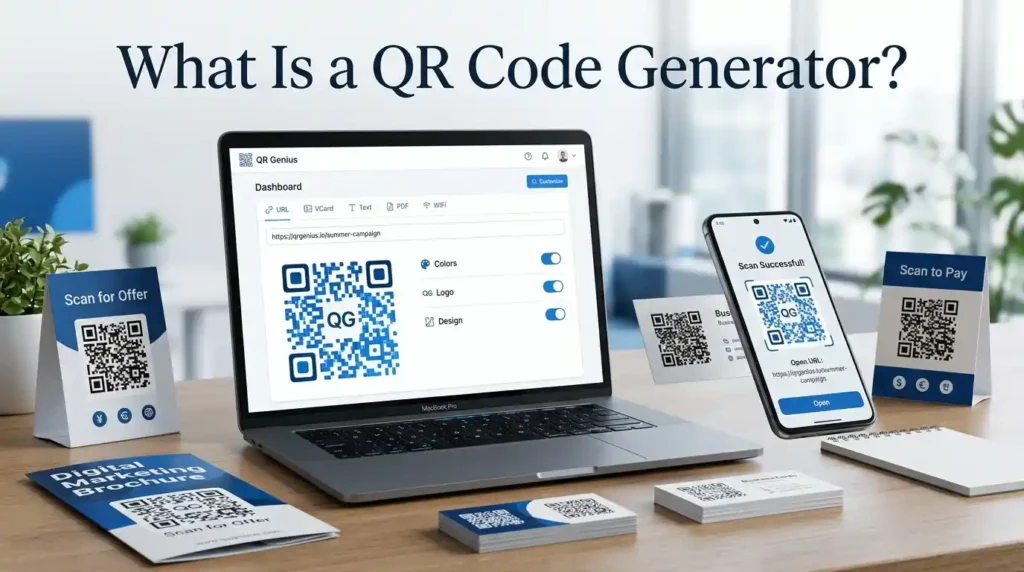
A QR code generator is a web-based or software tool that encodes information — such as a URL, phone number, email address, vCard, or WiFi password — into a two-dimensional machine-readable code called a Quick Response (QR) code.
When someone points a smartphone camera at a QR code, the device decodes the pattern and instantly takes the user to the embedded destination — whether that is a website, a PDF, a Google Form, or a contact page.
Modern QR code generators go far beyond simple link encoding. Today’s tools let you customize the design, add a logo, change colors, choose between static and dynamic formats, and even track scan analytics in real time.
Static vs. Dynamic QR Codes: What Is the Difference?
This is one of the most important things to understand before you start generating codes.
A static QR code encodes information directly into the pattern itself. Once created, the destination cannot be changed. These are free, simple, and permanent — perfect for personal use, one-time campaigns, or sharing fixed content like a WiFi password or a vCard.
A dynamic QR code works differently. Instead of encoding the final destination directly, it encodes a short redirect URL. That redirect URL can be updated anytime without changing the QR code itself. This means you can print thousands of flyers and still change where the code points — incredibly useful for ongoing marketing campaigns.
Dynamic QR codes also offer scan analytics: you can see how many times the code was scanned, from which device, in which location, and at what time. This kind of conversion tracking is what makes dynamic QR codes so powerful for businesses and marketers.
The trade-off is cost. Most platforms charge a monthly fee for dynamic QR codes. However, some tools do offer limited free dynamic options, which we will cover below.
Why QR Codes Matter in 2026
QR code adoption has not slowed down — it has accelerated. According to data tracking mobile engagement trends, smartphone scanning has become a default behavior for a large portion of consumers, especially following the widespread adoption of QR codes for contactless menus and payments during recent years.
For businesses, QR codes offer a direct bridge between physical and digital marketing — what is often called omnichannel marketing. A printed flyer, product label, or business card becomes interactive the moment you add a QR code to it.
Here is why businesses, creators, and individuals all benefit from using QR code tools:
- Instant contactless information sharing without the need for an app
- Easy lead generation and customer interaction at events or in-store
- Seamless mobile-first marketing for digital campaigns
- Low-cost digital asset sharing for freelancers and creators
- Measurable user engagement metrics when using dynamic codes
How Does a QR Code Generator Work?
The process is straightforward, even for beginners.
You visit a free online QR code generator, enter the information you want to encode — such as a website URL, a PDF link, a phone number, or a WiFi password — and the tool instantly generates a QR code image. You can then download it as a PNG or SVG file and use it wherever you need it.
Here is the basic step-by-step process:
- Choose a free QR code generator tool (more on the best options below).
- Select the type of QR code you want to create — URL, vCard, PDF, WiFi, social media, etc.
- Enter the relevant information into the input fields.
- Customize the design if desired — colors, logo, shape.
- Click Generate or Create.
- Preview the QR code and test it with your phone camera.
- Download the file in your preferred format — PNG for digital use, SVG for print.
- Deploy it on your materials.
The entire process takes less than sixty seconds with any decent tool.
Best Free QR Code Generator Tools Online
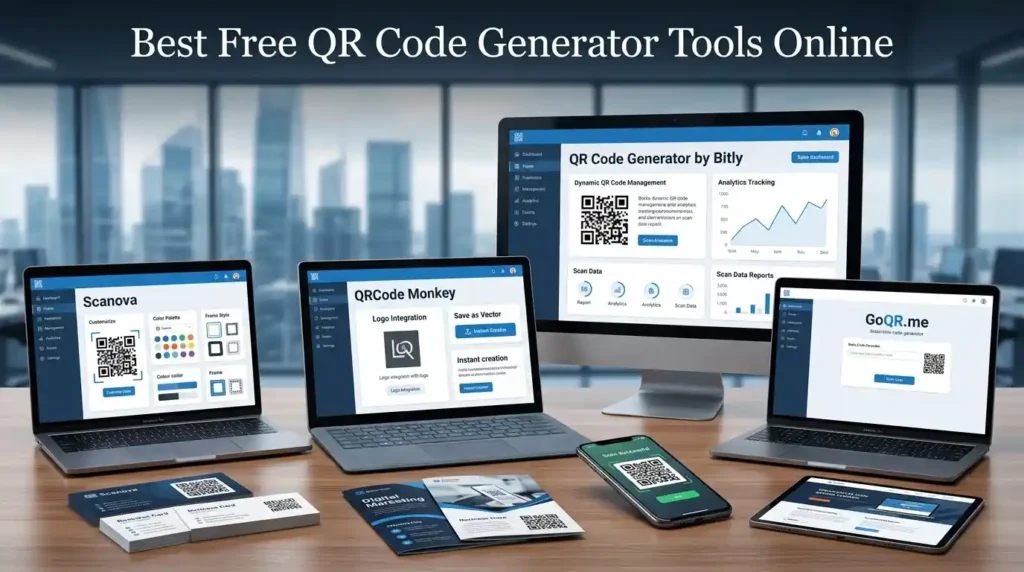
Here are the top platforms worth using in 2026, each with different strengths depending on your needs.
QR Code Monkey
QR Code Monkey is one of the most popular free QR code generators available. It is completely free to use, requires no sign-up, and supports high-resolution PNG and SVG downloads. You can add a logo, customize colors, and adjust the design style — features that many tools lock behind paid plans. It is an excellent choice for creating branded QR codes quickly without spending anything.
QR TIGER
QR TIGER is a versatile platform that supports both static and dynamic QR codes. The free plan allows basic static code generation, while the paid tiers unlock dynamic codes with scan analytics and bulk generation. For marketing teams that need QR code tracking software and branded designs, QR TIGER offers one of the more complete feature sets on the market.
Canva QR Code Generator
If you already use Canva for design work, you will appreciate how seamlessly its built-in QR code maker integrates into your existing workflow. You can generate a QR code directly within a design — perfect for business cards, flyers, posters, and social media graphics. The Canva QR code generator is available on both free and pro plans.
Adobe Express QR Code Generator
Adobe Express offers a clean, simple QR code creation experience that works well for beginners. Like Canva, it integrates QR code generation into a broader design workflow. You can create a custom QR code with logo support and download it for use across print and digital materials. It is free to use with an Adobe account.
Bitly QR Code Generator
Bitly is best known as a link shortener, but its QR code generator is a solid option — especially if you want dynamic QR codes with basic analytics. The free Bitly plan does support QR code creation, though advanced features like detailed scan analytics and custom domains are reserved for paid accounts. For small businesses that already use Bitly for URL management, this is a natural fit.
Uniqode
Uniqode (formerly Beaconstac) is more of an enterprise-grade platform, but it does offer a free tier. It is particularly well-suited for teams that need QR code management across large campaigns — think retail chains, event management companies, or franchise businesses. Its analytics dashboard and CRM integration capabilities set it apart from basic generators.
Mega Free Tools QR Code Generator
For users who want a fast, no-fuss solution without creating accounts or navigating complicated interfaces, the QR Code Generator at Mega Free Tools is a practical option. It lets you generate a QR code for a URL or other content quickly and download it directly — ideal when you just need a clean, working code without any friction.
QR Code Use Cases: What Can You Create a QR Code For?
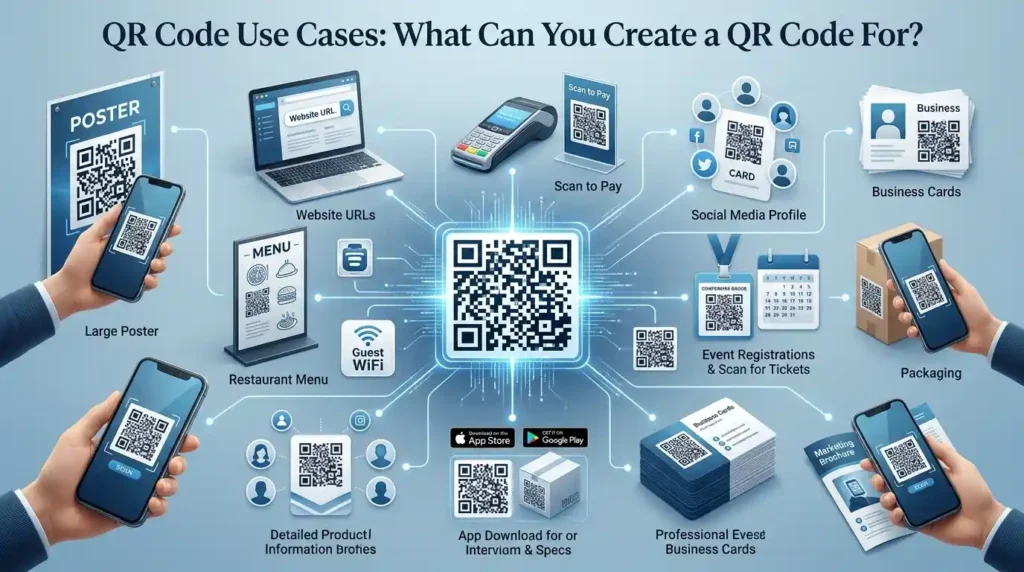
One of the most underappreciated things about QR code generators is how flexible they are. Here are the most common and useful types:
Website URLs — The most common use case. Point a code directly to any webpage.
PDF Documents — Share brochures, menus, instruction manuals, or portfolios without printing them.
WiFi Networks — Let guests connect to your WiFi instantly without typing a password.
Google Forms — Create QR codes for surveys, event registrations, or feedback forms.
Digital Business Cards (vCards) — Encode your contact information so people can save it to their phone in one scan.
Social Media Profiles — Drive followers to your Instagram, LinkedIn, YouTube, or TikTok profiles.
App Downloads — Direct users to your app on the App Store or Google Play.
Restaurant Menus — A standard use case in hospitality since 2020 that has stuck around for good reason.
Event Tickets and Check-ins — Streamline entry management at conferences, concerts, or exhibitions.
QR Code Design Best Practices

A poorly designed QR code can fail to scan, which defeats the entire purpose. Here are the practical principles that matter:
Use high contrast between the code and its background — dark code on a light background is the standard for good reason.
Keep a clear quiet zone — a margin of white space around the entire code — so scanners can identify where the code begins and ends.
Do not over-customize. Adding a logo or changing colors is fine, but going too aggressive with design modifications can interfere with scannability.
Choose the right error correction level. QR codes have four error correction levels (L, M, Q, H). If you are adding a logo or expect some wear on physical materials, use level Q or H to ensure the code still scans even if part of it is obscured.
Print at the right size. For printed materials, a minimum size of 2 x 2 cm is generally recommended for reliable scanning. Larger is better for materials viewed from a distance.
Always test before publishing. Scan your QR code on multiple devices — iPhone, Android, different QR scanner apps — before sending it to print or publishing it digitally.
Common Mistakes to Avoid
Even experienced users make these errors. Avoid them to get the best results.
Printing a static code when you needed a dynamic one. Once printed at scale, a static QR code cannot be changed. If you think the destination might change, use a dynamic code from the start.
Generating a low-resolution image. A QR code that looks sharp on screen can become blurry when printed large. Always download SVG format for print use — it scales without quality loss.
Skipping the test scan. This seems obvious but is frequently skipped. Always test your code before distributing it.
Not tracking results. If you are using QR codes in any marketing context, not using dynamic codes with analytics means you are flying blind. You cannot improve what you cannot measure.
Choosing the wrong content type. Some generators have separate input fields for different content types. Accidentally encoding a URL in a plain text field means the code will display the URL as text rather than opening it in a browser.
Making the QR code too small on printed materials. Small codes are harder to scan, especially if printed on materials that may be viewed from a distance or held at arm’s length.
Practical Example: A Small Business Using QR Codes
Imagine you run a small bakery. You want customers to leave Google reviews, access your seasonal menu, and follow your Instagram account — all without printing separate flyers for each.
Using a free QR code generator, you create three separate QR codes: one linking to your Google review page, one linking to a PDF of your current menu, and one directing to your Instagram profile. You print these on a small table card and a window decal.
Now every customer who visits can take action instantly — no app to download, no URL to type, no friction. This is exactly the kind of mobile-first marketing that QR codes enable at essentially zero cost.
How QR Codes Support Digital Marketing
QR code marketing has matured significantly. It is no longer just about linking to a homepage. Sophisticated campaigns now use dynamic QR codes with unique scan analytics to measure exactly which offline touchpoints drive digital engagement.
A retail campaign might deploy different QR codes on in-store signage, product packaging, direct mail, and outdoor advertising — all pointing to the same landing page, but each with a unique identifier that allows marketers to attribute conversions to specific channels. This kind of conversion tracking was once only possible through complex digital advertising setups. QR codes bring it into the physical world.
For small businesses, this means better understanding of what marketing actually works. For enterprise teams, it means integrating QR scan data with CRM systems and marketing automation platforms for a complete picture of customer interaction.
Integrating QR Codes with Other Free Online Tools
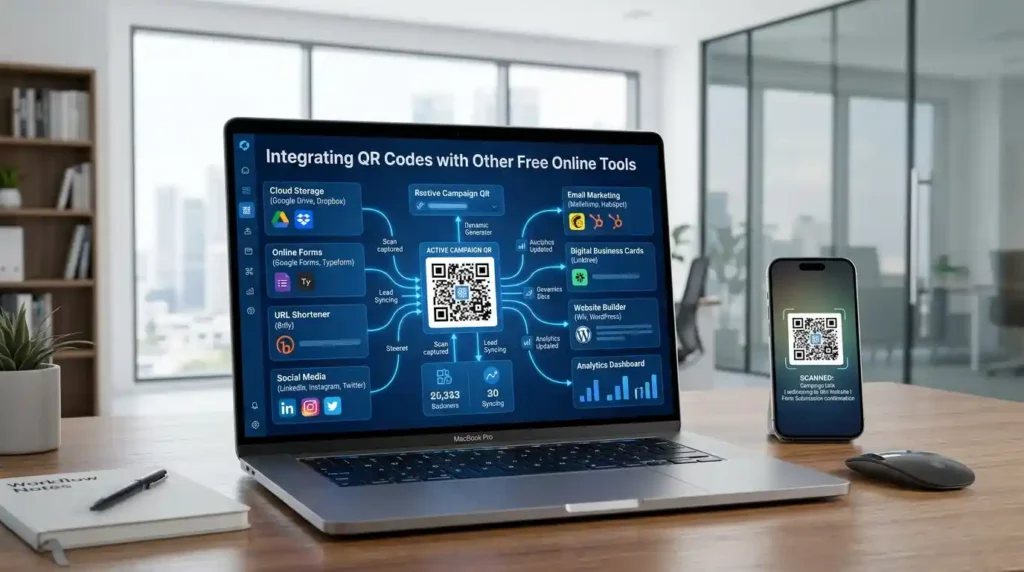
QR codes rarely live in isolation. You might need to create a PDF to link to, compress an image before uploading it, or prepare a document to share.
If you need to create or manage the files your QR codes will point to, a platform like Mega Free Tools has you covered with complementary utilities. You can use the PDF Compressor to reduce file sizes before sharing via QR code, the JPG to PDF converter to prepare image documents, or the Image Resizer to prepare visuals for your linked landing pages. The Word to PDF tool is handy if you are preparing brochures or menus to host online. You can explore the full tools hub to find what fits your workflow.
Future Trends in QR Code Technology
QR codes are not standing still. Several developments are reshaping how they are used.
AI-powered QR code generation is emerging — tools that automatically suggest optimal designs, content types, and placements based on your use case. This reduces the manual decisions involved in campaign setup.
Smart QR analytics platforms are becoming more sophisticated, offering heat maps, behavioral segmentation, and real-time conversion dashboards rather than simple scan counts.
Personalized QR experiences — where each recipient of a physical mailer gets a unique QR code linked to a personalized landing page — are becoming accessible even for mid-sized businesses.
AR-enabled QR codes that trigger augmented reality experiences are gaining traction in retail and entertainment contexts, turning a simple scan into an immersive brand interaction.
QR codes integrated with AI assistants — where scanning a code initiates a conversation with a branded chatbot or virtual assistant — represent a likely direction for customer service applications.
For marketers and business owners, keeping up with these trends means QR codes will remain a relevant and increasingly powerful tool well beyond 2026.
FAQ
What is a QR code generator? A QR code generator is an online tool that converts text, URLs, contact details, or other data into a scannable QR code image. When scanned with a smartphone camera or QR scanner app, the code directs the user to the embedded content — such as a website, PDF, or WiFi network. Most free generators require no technical knowledge and produce downloadable images in seconds.
Are free QR code generators safe to use? Yes, reputable free QR code generators from established platforms — such as QR Code Monkey, Canva, Adobe Express, and Bitly — are safe to use. The main security consideration is on the user end: only scan QR codes from sources you trust, since a code can direct to any URL including malicious ones. The generators themselves do not pose a risk.
Do free QR codes expire? Static QR codes created with free tools generally do not expire. The code is permanent because the destination is encoded directly into the pattern. Dynamic QR codes, however, often depend on the generator’s redirect servers — if you are using a free dynamic code from a platform that later discontinues its free tier, the redirect may stop working. For long-term use, static codes or paid dynamic plans are safer choices.
What is the difference between static and dynamic QR codes? A static QR code permanently encodes the destination — it cannot be changed after creation. A dynamic QR code encodes a redirect URL that can be updated anytime, allowing you to change the destination without reprinting the code. Dynamic codes also support scan analytics, making them better for marketing campaigns, while static codes are ideal for simple, permanent use cases.
Which free QR code generator is best for small businesses? QR Code Monkey is an excellent free option for small businesses because it supports logo uploads, color customization, and high-resolution downloads at no cost. For businesses that want analytics and dynamic QR codes, Bitly or QR TIGER offer free tiers with basic features. The Mega Free Tools QR Code Generator is a fast, no-login option for quick code creation.
Can I create a QR code with a logo for free? Yes. QR Code Monkey allows free logo upload and color customization without requiring a paid account. Canva and Adobe Express also support branded QR codes with logos, though some advanced customization may require a paid plan on those platforms.
How do I generate a QR code for a Google Form? Copy the shareable URL of your Google Form, then paste it into any free URL QR code generator. The tool will generate a code that, when scanned, opens the form directly in the user’s browser. This is commonly used for event registrations, surveys, and feedback collection.
Can QR codes track scan data? Yes, but only dynamic QR codes offer scan tracking. Dynamic codes route through a redirect server that logs each scan — including the time, device type, and in some cases the geographic location of the scan. Static QR codes cannot track scan data because there is no server intermediary involved.
What size should a QR code be for printing? For most printed materials, a minimum size of 2 x 2 centimeters (about 0.8 x 0.8 inches) is the baseline for reliable scanning up close. For materials viewed from a distance — such as posters or signage — scale the code larger proportionally. Always download in SVG format for print use to ensure the image remains sharp at any size.
How many QR codes can I create for free? This depends on the platform. QR Code Monkey has no documented limit on free static code generation. Most other free tools allow unlimited static codes. Dynamic QR code creation is typically limited on free plans, with platforms offering between one and five dynamic codes before requiring an upgrade.
Expert Summary
QR codes have evolved from novelty items into essential tools for digital marketing, contactless communication, and mobile engagement. The best free QR code generator tools online — including QR Code Monkey, QR TIGER, Canva, Adobe Express, and Bitly — make it simple to create professional, customizable codes at no cost. Static QR codes offer permanent, free solutions for most use cases, while dynamic QR codes add the power of real-time scan analytics and editable destinations, critical for marketing campaigns. Choosing the right tool depends on your specific needs: logo support, analytics, bulk generation, or simple fast creation.
Conclusion

Whether you are creating a QR code for your business website, a restaurant menu, a PDF brochure, a WiFi network, or a marketing flyer, the right free tool makes the entire process take less than a minute. The best free QR code generator tools online put professional-grade code creation within reach of anyone — no technical skills, no expensive software, no barriers.
Start with a clear idea of what you need — static or dynamic, plain or branded, single or bulk — and pick the tool that matches. Test your code before you use it, download in the right format for your medium, and you are good to go.
Looking for a fast, free solution with no account required? Try the QR Code Generator at Mega Free Tools and get your code ready in seconds. And if you need to prepare files, compress images, or convert documents to pair with your QR code campaigns, explore the full range of free online tools at Mega Free Tools — everything you need, completely free.


attrctive tool