
Introduction: That One Capitalization Problem Every Writer Knows
You’ve just finished writing a 1,500-word blog post. You look at your headings and realize half of them are in ALL CAPS, the other half are inconsistent, and somewhere in the middle you accidentally left CAPS LOCK on for an entire paragraph. Sound familiar?
Text case formatting is one of those small but genuinely frustrating parts of writing online. It slows you down, it looks unprofessional when ignored, and fixing it manually is tedious. The good news is that converting text to uppercase or lowercase takes about five seconds when you have the right tool.
The free Case Converter at MegaFreeTools handles all of it instantly — uppercase, lowercase, title case, sentence case, and more — without any sign-up, software download, or cost. And it’s just one of dozens of free writing and productivity tools available on the platform for writers, students, bloggers, and content creators worldwide.
In this complete guide, we’ll walk you through everything — what uppercase and lowercase conversion actually means, why it matters for your writing and SEO, how to do it step by step, and which tool makes the whole process effortless.
What Is Uppercase and Lowercase Text?
Before we get into the how, let’s quickly cover the what — because understanding the different text case formats helps you choose the right one every time.
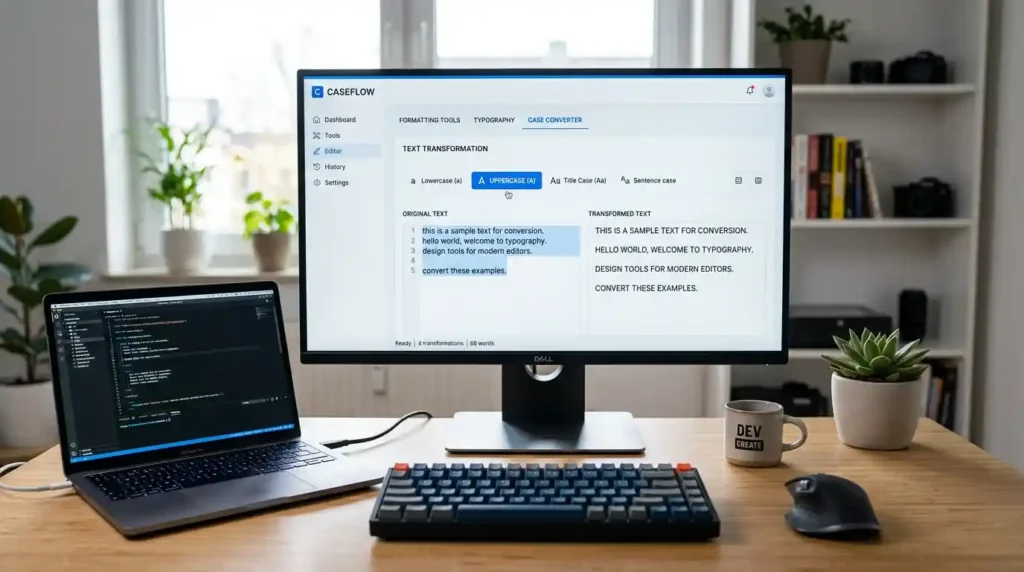
Uppercase means every letter in a word is capitalized: THIS IS UPPERCASE TEXT. It’s commonly used for acronyms (SEO, HTML, NASA), titles in certain style guides, and emphasis in headings or announcements.
Lowercase means every letter is in its small form: this is lowercase text. It’s used in general body writing, coding environments, URLs, and certain social media formats.
Beyond these two basics, text case conversion online also covers:
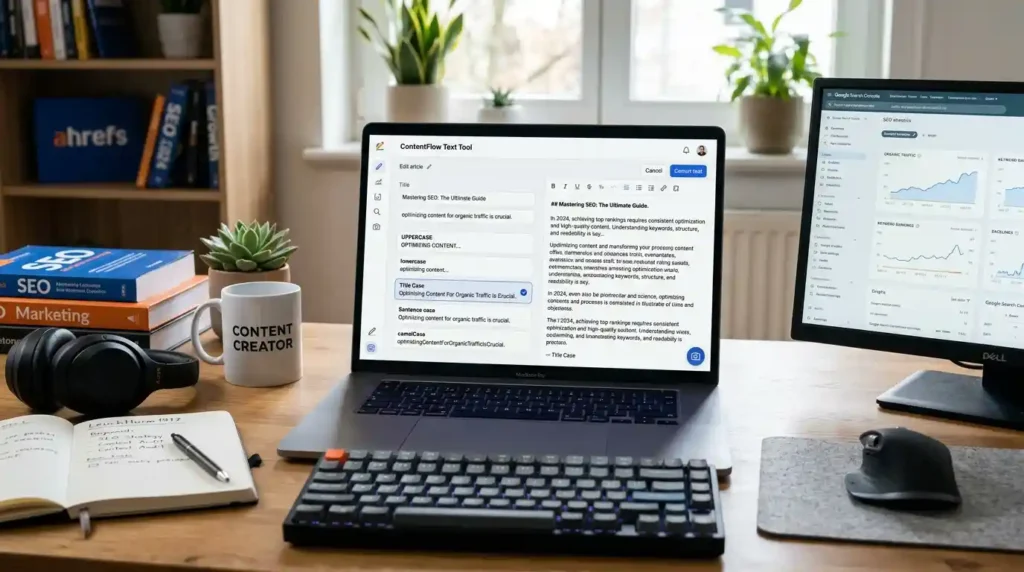
- Title Case – Every Major Word Is Capitalized Like This
- Sentence case – Only the first word of a sentence is capitalized
- camelCase – Used in programming (firstName, myVariable)
- Alternating CaSe – Alternates between caps and lowercase (mostly informal/stylistic)
Each of these serves a specific purpose. Knowing when to use which one is a skill. Having a case converter tool free to apply them instantly is a practical advantage.
Why Does Text Case Conversion Actually Matter?
This might seem like a purely cosmetic concern, but changing text case online affects your writing on several levels that genuinely count:
Readability and Professionalism
Inconsistent capitalization is one of the first things editors and readers notice. A blog post where some headings are in TITLE CASE, others are in sentence case, and a few are in random ALL CAPS looks unpolished. Consistent text formatting builds credibility.
SEO and Content Performance
Search engines read your heading structure to understand what your page is about. Google gives weight to H1, H2, and H3 tags — and consistent, well-formatted headings signal a well-organized, authoritative piece of content. Using a text case converter online to standardize your headings before publishing is a small habit with real SEO returns.
Fixing Human Errors Fast
Accidental CAPS LOCK is one of the most common writing errors. Typing an entire paragraph in caps and then having to retype it is wasteful. The ability to change CAPS LOCK text back to normal sentence case in one click is something every writer eventually appreciates.
Cross-Platform Formatting
Content gets repurposed across blogs, social media, emails, PDFs, and more. Each platform may have different capitalization conventions. Text transformation tools let you reformat the same content appropriately for each destination without rewriting anything.
Step-by-Step: How to Convert Text to Uppercase or Lowercase Online
Here’s a complete, beginner-friendly guide to converting text case online using a free browser-based tool:
Step 1: Open the Tool Go to the MegaFreeTools Case Converter in any browser — on your phone, tablet, or desktop. No app download or account needed.
Step 2: Paste Your Text Copy the text you want to convert — a single sentence, a full paragraph, or an entire article — and paste it into the input field on the tool page.
Step 3: Choose Your Case Format Click the case option you need:
- UPPERCASE to capitalize every letter
- lowercase to make every letter small
- Title Case for proper heading formatting
- Sentence case for clean body text
- camelCase or other options for specialized needs
Step 4: Get Your Converted Text The tool instantly reformats your text. You’ll see the result appear immediately — no waiting, no loading screens.
Step 5: Copy and Use Click the Copy button and paste your newly formatted text wherever you need it — WordPress, Google Docs, Microsoft Word, social media, email, or anywhere else.
The entire process takes under 30 seconds, even for long documents. That’s the power of using a dedicated instant text case changer over doing it manually.
Best Free Tools to Convert Text Case Online
There are several case converter tools available online. Here’s an honest overview of what’s out there and what to look for:
MegaFreeTools Case Converter
The Case Converter at MegaFreeTools is a standout option because it combines simplicity with a full range of case conversion options. It’s completely free, works on any device, and requires zero technical knowledge. What makes it especially useful for writers is that it lives within a full ecosystem of content tools — so once you’ve fixed your text case, you can also use the Word Counter, Online Notepad, or Text to PDF converter without leaving the platform.
ConvertCase.net
A widely known single-purpose tool that handles most common case formats. It’s reliable but limited to case conversion alone, meaning you’ll need other tools for everything else in your workflow.
SmallSEOTools Case Converter
Part of a broader SEO toolkit. Functional for case conversion but tends to be heavier on ads and slower to load, which can interrupt your workflow.
Google Docs (Built-in)
Google Docs has a basic change case feature under Format > Text > Capitalization. It covers uppercase, lowercase, and title case. It’s convenient if you’re already working in Docs, but it doesn’t support sentence case or camelCase natively.
Microsoft Word
Similar built-in functionality via the Shift+F3 shortcut or Format menu. Works well within Word but isn’t useful if you’re working outside that environment.
For pure text case conversion online that works from any browser, any device, without software — the free tools at MegaFreeTools remain the most accessible option.
Mobile vs Desktop: Which Method Works Best?
A common question: can you convert text case on mobile as easily as on desktop?
The answer is yes — and this is where browser-based tools have a clear advantage over software solutions.
On desktop: Any browser works perfectly. You can have the case converter open in one tab and your writing tool in another. Copy, convert, paste — it’s a seamless workflow.
On mobile: The MegaFreeTools Case Converter is fully mobile-responsive. The interface adjusts to your screen size, making it just as easy to use on a smartphone as on a laptop. For students in Pakistan and across Asia who often work primarily from mobile devices, this matters significantly.
Native phone keyboards do offer auto-capitalization, but they can’t handle bulk conversion of existing text — which is where an online text editor case change tool becomes essential.
Key Benefits of Using a Case Converter for Writers and Bloggers
Let’s bring together the practical advantages of adding a text case conversion tool to your regular writing workflow:
- Speed – Convert entire documents in seconds rather than minutes
- Accuracy – No risk of missing a letter or making manual errors
- Consistency – All headings, titles, and body text formatted uniformly
- SEO support – Clean heading structures improve how search engines index your content
- Versatility – Supports multiple case formats for different content types
- Accessibility – Free, browser-based, no installation, works on all devices
- Workflow integration – Pairs naturally with tools like PDF Compressor, Image Resizer, and QR Code Generator at MegaFreeTools
These benefits compound over time. Writers who build efficient formatting habits produce more polished content in less time — and that consistency shows in their publishing output.
Common Text Case Mistakes Writers Should Avoid
Even experienced writers make these errors repeatedly. Here’s what to watch out for:
Mixing case styles across headings. If your H2s are in Title Case, your H3s should follow the same convention unless your style guide says otherwise. Random switching looks sloppy and confuses readers.
Using ALL CAPS for emphasis in formal writing. Caps Lock emphasis reads as shouting online. Use bold for emphasis instead. Save uppercase for acronyms and titles.
Forgetting to re-check after conversion. Some sentence case tools may not correctly identify proper nouns (brand names, places, people). Always do a quick scan after running any conversion.
Applying title case to body paragraphs. Title case is for titles and headings only. Applying it to regular body text makes content harder to read and feels unnatural.
Inconsistency in meta titles and descriptions. Your SEO meta tags should follow the same capitalization rules as your page headings. Inconsistency here can look unprofessional in search results and hurt click-through rates.
A reliable online text case converter catches most of these issues instantly, giving you a clean starting point for final proofreading.
How Text Case Conversion Supports SEO Writing
Many writers treat text formatting tools as purely cosmetic. But there’s a real connection between proper capitalization and search performance.
Google’s quality guidelines for helpful content emphasize structure, readability, and clarity. Consistently formatted headings help both users and crawlers navigate your content efficiently. When your H1 is in title case, your H2s follow sentence case, and your body text is clean — the page signals organization and intentionality.
Title case in meta titles also affects click-through rates in SERPs. A well-formatted title like “How to Convert Text to Uppercase or Lowercase Online” looks more authoritative than “HOW TO CONVERT TEXT TO UPPERCASE OR LOWERCASE ONLINE” or “how to convert text to uppercase or lowercase online.”
For SEO content writers who publish frequently, integrating a free case converter for writers and bloggers into the pre-publish checklist is a small habit that adds up to noticeably better content quality over time. For additional content strategy insights relevant to writing professionals, Baco Consultants offers useful resources worth exploring.
You can also explore broader writing productivity tools and digital content references at Toolify Worlds to round out your toolkit.
Why Choose MegaFreeTools for Text Case Conversion?
MegaFreeTools is built around a simple idea: professional-grade tools should be free and accessible to everyone — students, freelancers, bloggers, developers, and businesses alike.
Here’s what makes it the right choice for text case conversion and writing formatting:
- Completely free – No subscription, no trial period, no credit card required
- No login needed – Open the tool and use it immediately
- Full case format support – Uppercase, lowercase, title case, sentence case, camelCase, and more
- Fast and lightweight – Works on slow internet connections without delays
- Mobile-friendly design – Fully responsive across all screen sizes
- Broader tool ecosystem – Pairs with Word to PDF, PDF to Word, Background Remover, Password Generator, JSON Validator, and many more
- Trusted by global users – Especially popular among writers, students, and content creators across Pakistan, India, and the wider Asia region
When you need a text formatting utility that simply works — every time, on any device, at no cost — MegaFreeTools delivers without compromise. Explore the complete tools library to see everything available.
Frequently Asked Questions
How do I convert text to uppercase online? Paste your text into the MegaFreeTools Case Converter, click the “UPPERCASE” option, and your entire text is instantly converted. Copy and paste it wherever needed.
How do I convert text to lowercase? Use the same tool — paste your text, select “lowercase,” and every letter is immediately converted to its small form. It works for any amount of text, from a single word to a full article.
What is a case converter tool? A case converter tool is a free online utility that changes the capitalization format of any text. It supports uppercase, lowercase, title case, sentence case, camelCase, and more — instantly and without any software installation.
Can I change CAPS LOCK text online? Yes. If you’ve accidentally typed text with CAPS LOCK on, simply paste it into a case converter, select “Sentence case” or “lowercase,” and it’s fixed in one click. No retyping needed.
Is text case conversion free? Yes. The case converter at MegaFreeTools is completely free to use with no limits, no sign-up, and no hidden charges.
Which tool is best for text case formatting? The best free text case converter online for writers is available at MegaFreeTools. It supports all major case formats, works on mobile and desktop, and requires no login or download.
How do I convert text to sentence case? Paste your text into the MegaFreeTools Case Converter, click “Sentence case,” and the tool will capitalize only the first letter of each sentence automatically.
Does case converter work for SEO writing? Absolutely. Proper heading capitalization, consistent title formatting, and clean sentence structure all contribute to better readability and SEO performance. Using a case converter for SEO content writing helps standardize your formatting before publishing.
Conclusion: Fix Your Text Formatting in Seconds
Whether you’re a blogger polishing headings, a student fixing accidental all-caps, a social media manager formatting posts, or an SEO writer standardizing content across platforms — converting text to uppercase or lowercase is something you’ll need to do regularly.
Doing it manually wastes time and introduces errors. Doing it with the right tool takes seconds and produces perfect results every time.
The free Case Converter at MegaFreeTools is the fastest, cleanest, and most accessible solution available — and it comes backed by a full suite of tools that cover everything from image compression to PDF splitting to JPG to PNG conversion.
Stop wasting time fixing capitalization manually. Open MegaFreeTools, paste your text, and convert it in one click — completely free.
Visit MegaFreeTools now and make proper text formatting the easiest part of your writing workflow.
Keywords Used: how to convert text to uppercase, how to convert text to lowercase, text case conversion online, uppercase lowercase converter, change text case online, convert text case tool, text to uppercase converter, text to lowercase converter, convert text to sentence case, convert text to title case online, change CAPS LOCK text, text formatting tools online, case converter tool free, online text editor case change, instant text case changer, writing formatting tools, text transformation tools, best free case converter for writers and bloggers, how to fix CAPS LOCK text to normal sentence online, free tool to convert text case for social media posts, case converter, text converter, uppercase tool, lowercase tool

