
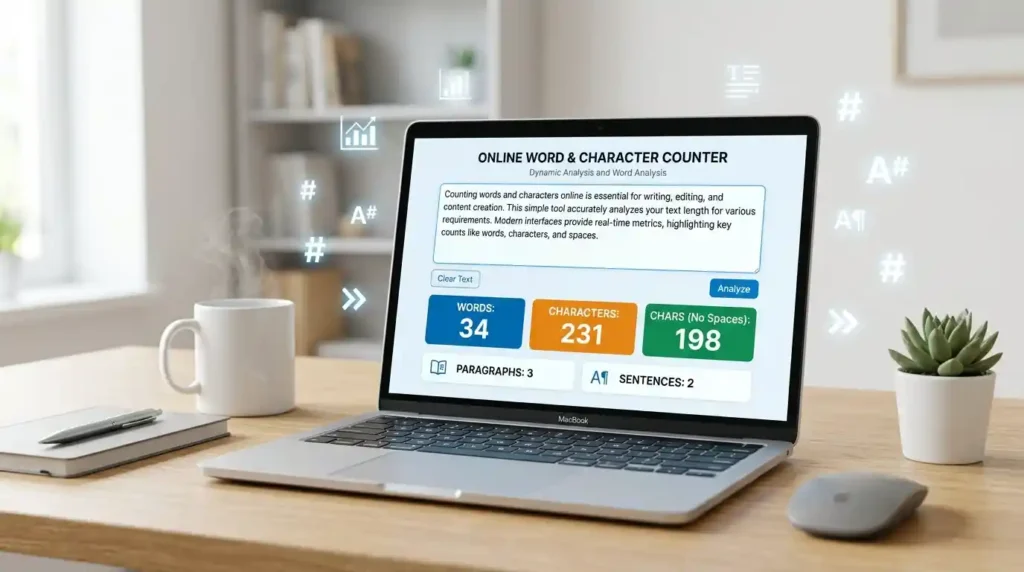
Whether you’re a student polishing an essay, a blogger optimizing content for Google, or a social media manager checking Twitter character limits — knowing your word count and character count is not optional. It’s essential. And the good news? You don’t need Microsoft Word, Grammarly, or any installed software to do it. A fast, free online word counter is all you need.
This guide covers everything: how online word counters work, why word and character count matters for SEO and writing, and which tools actually deliver results.
What Is a Word and Character Counter?
A word counter tool is a digital utility that analyzes any block of text and instantly returns key writing statistics — number of words, characters, sentences, paragraphs, and sometimes even reading time. A character counter online works similarly but focuses specifically on the number of characters, either with or without spaces.
These tools are used by:
- Students tracking essay length requirements
- SEO writers hitting ideal content length targets
- Social media managers staying within platform character limits
- Developers validating text input fields
- Authors monitoring novel or chapter word counts
In short, if text is involved, a text counter tool saves time and eliminates guesswork.
How Do Online Word Counters Work?
Online word counters use simple but powerful text analysis logic. When you paste or type your content into the input box, the tool:
- Splits the text by spaces and punctuation to identify word boundaries
- Counts each token (word, character, sentence) separately
- Returns real-time statistics — often in under a millisecond
Modern tools like the Word Counter at Mega Free Tools go beyond basic counting. They offer:
- Real-time word count and character count
- Sentence and paragraph detection
- Reading time estimates
- Keyword frequency analysis
Unlike checking word count in Google Docs or Microsoft Word — which requires the file to be open in a desktop or browser app — a copy-paste word counter works anywhere, any device, instantly.
Step-by-Step: How to Count Words and Characters Online
Using a free online word count tool takes less than 10 seconds. Here’s how:
Step 1: Open a reliable tool like Mega Free Tools Word Counter
Step 2: Copy your text — from an essay, blog draft, social media caption, or any document
Step 3: Paste it into the text input box
Step 4: Results appear instantly — word count, character count (with and without spaces), sentences, and paragraphs
Step 5: Edit directly in the tool and watch the numbers update in real time
That’s it. No sign-up. No software. No waiting.
Why Word Count Matters More Than You Think

For SEO Content Writing
Word count directly affects how search engines evaluate your content. According to multiple SEO studies, long-form content between 1,500–2,500 words tends to rank higher on Google for competitive keywords. But it’s not just about length — it’s about content depth and semantic coverage.
When you use a word count tool for blog writing, you ensure:
- You’re hitting minimum length thresholds for topic authority
- You’re not padding content unnecessarily (which hurts readability)
- You can track keyword density without manual counting
Tools like Mega Free Tools also help you work smarter alongside platforms like Toolify Worlds for broader content optimization workflows.
For Academic and Essay Writing
Every student has faced a strict word limit. Submission systems at universities often reject papers that fall short — even by a few words. Using a free word counter for students ensures:
- Essays meet exact word requirements
- Over-writing is caught before submission
- Paragraph distribution is balanced
For Social Media Posts
Every platform has its limits:
| Platform | Character Limit |
|---|---|
| Twitter / X | 280 characters |
| Instagram Caption | 2,200 characters |
| LinkedIn Post | 3,000 characters |
| Facebook Post | 63,206 characters |
| YouTube Description | 5,000 characters |
A character counter for Instagram and social media posts means you never get cut off mid-message. Tools like Mega Free Tools make this effortless.
Word Count vs Character Count — What’s the Difference?
A word count measures the number of distinct words in your text. “The quick brown fox” = 4 words.
A character count measures every single character — including letters, punctuation, numbers, and spaces. “The quick brown fox” = 19 characters with spaces, 15 without.
Why does this matter?
- SEO tools often require a minimum word count for SEO content (typically 300–1,500+ words depending on the topic)
- SMS and social media platforms enforce strict character limits
- Academic institutions use word count, while some submission forms use character count
Both metrics serve different purposes — and a good word and character count tool gives you both simultaneously.
Best Free Online Word Counter Tools in 2026

You don’t need to pay for software to get accurate text metrics. Here are reliable options:
1. Mega Free Tools Word Counter (Top Pick)
megafreetools.com/word-counter/ Real-time counting, character count with/without spaces, paragraph and sentence detection. No login. No ads. Completely free.
2. Google Docs Word Count
Built into Google Docs under Tools → Word Count. Works well for documents already in Drive but requires an active file — not ideal for quick paste-and-check tasks.
3. Microsoft Word Character Count
Available under the Review tab. Great for desktop users working in .docx files, but requires the full Office suite.
4. Grammarly Word Counter
Grammarly’s editor shows word count in the corner. Useful if you’re already using it for grammar checking, but overkill if you just need a quick count.
For speed, simplicity, and zero friction — Mega Free Tools wins every time. It’s purpose-built for writers, students, and content creators who want results without the bloat.
The SEO Importance of Character Count
Beyond word count, character count plays a major role in SEO metadata:
- Meta Title: Should be under 60 characters to display fully in Google SERPs
- Meta Description: Ideally under 160 characters to avoid truncation
- URL/Permalink: Keep it under 75 characters for clean, readable slugs
- Alt Text: Keep image descriptions under 125 characters for accessibility compliance
Using a character limit checker before publishing helps you avoid truncated titles and cut-off meta descriptions — both of which hurt click-through rates. Pair this habit with professional consulting resources like Baco Consultants for full-scale content strategy support.
More Free Tools You’ll Love at Mega Free Tools
Once you start using free online tools, you’ll wonder how you managed without them. Mega Free Tools offers an entire ecosystem built for everyday productivity:
- PDF Compressor — Shrink PDF file sizes without losing quality
- Image Resizer — Resize images for web, social, or print in seconds
- JPG to PDF Converter — Turn image files into clean PDFs
- QR Code Generator — Create custom QR codes instantly
- Password Generator — Generate strong, secure passwords
- Online Notepad — Jot notes directly in your browser
- Background Remover — Remove image backgrounds automatically
- Case Converter — Switch between UPPER, lower, Title, and sentence case
- Text to PDF — Convert plain text into downloadable PDFs
- Word to PDF — Convert .docx files to PDF format easily
Explore the full tools library at Mega Free Tools — all free, all instant, all in one place.
FAQ: Everything You Need to Know About Word and Character Counting

How do I count words online?
Paste your text into a free online word counter like Mega Free Tools Word Counter. Results appear instantly — no login or software needed.
What is the best free word counter tool?
Mega Free Tools is among the best free word counter tools available. It shows word count, character count, sentences, paragraphs, and reading time — all in real time.
How can I count characters in text?
Use a character counter online tool. Paste your text, and the tool immediately shows total characters, characters with spaces, and characters without spaces.
Does word counter include spaces?
Word counters count words — so spaces between words are used as delimiters, not counted separately. Character counters, however, can count with or without spaces depending on which metric you need.
How do I check word count for essays?
Paste your essay into megafreetools.com/word-counter/. It provides an instant word count that matches what your professor or submission system will see.
Can I count words without installing software?
Yes. Every tool on Mega Free Tools runs entirely in your browser. No downloads, no installations, no accounts required.
Is an online word counter accurate?
Yes — reputable tools like Mega Free Tools use the same word-splitting logic as Microsoft Word and Google Docs. Results are consistent and reliable.
How do I count words for SEO articles?
Use a word count tool for blog writing to ensure your articles hit the recommended 1,500–2,500 words for competitive topics. Track character count separately for meta tags, titles, and descriptions.
What is the character limit for Twitter and Instagram?
Twitter/X allows 280 characters per tweet. Instagram captions allow up to 2,200 characters, though only the first 125 are visible before the “more” truncation.
How do I check word count in copied text online?
Simply copy your text (Ctrl+C), visit megafreetools.com/word-counter/, paste it (Ctrl+V), and your word count appears immediately.
Final Thoughts: Stop Guessing, Start Counting
Whether you’re writing a 500-word blog post, a 5,000-word research paper, or a 280-character tweet — precision matters. A reliable free word and character counter removes all uncertainty from your writing workflow.
Mega Free Tools is built exactly for this: fast, free, accurate tools that work the moment you need them. No subscriptions. No sign-ups. No friction.
Start counting smarter today — visit megafreetools.com/word-counter/ and experience the difference a purpose-built tool makes.
And while you’re there, explore the complete suite of free tools — from image compression and PDF splitting to PNG to JPG conversion and color pickers. Everything your digital workflow needs — free, forever.
Have questions or feedback? Visit the Contact Page or learn more on the About Us page.

