The best free coding tools online in 2026 are Replit, GitHub Codespaces, CodePen, StackBlitz, JSFiddle, and Glitch. These browser-based platforms let you write, run, and share code without installing software, making them ideal for beginners, students, and professional developers who want fast, collaborative, cloud-based development environments.
Introduction
Learning to code — or shipping a project quickly — no longer requires a heavyweight local setup. Thanks to a new generation of browser-based platforms, you can write, run, and debug real applications directly from a tab in Chrome or Safari. If you’re just starting out, you may want to pair your coding practice with other everyday utilities from the Mega Free Tools hub, which offers free browser-based tools ranging from a PDF compressor to a JSON validator and an online notepad — all useful companions for developers working on documentation, data files, and quick notes. This guide walks through the best free coding tools online, how they compare, who they’re built for, and how to pick the right one for your workflow. Whether you’re a student learning Python, a frontend developer testing a layout, or a team building a production app, there’s a free, browser-based option that fits.
What Are Online Coding Tools?
Online coding tools are browser-based platforms that let you write, execute, and share source code without installing a local integrated development environment (IDE) or configuring a development machine. Instead of running software on your laptop, the code executes on a remote server or cloud computing environment, and the results stream back to your browser in real time.
These platforms typically include:
- A code editor with syntax highlighting and autocomplete
- A built-in compiler or interpreter for code execution
- File and project management
- Live preview for web projects (HTML, CSS, JavaScript)
- Version control integration, often through Git
- Collaboration features for pair programming or team review
Because everything runs in the cloud, these tools work equally well on a powerful desktop, a budget laptop, or a Chromebook.
Why Free Online Coding Tools Matter
Software development used to demand a fair amount of setup: installing an IDE, configuring environment variables, managing dependencies, and keeping everything updated. Free online coding tools remove that friction entirely.
Key reasons they matter:
- Zero installation — start writing code within seconds
- Cross-device access — code from any computer with a browser
- Lower hardware requirements — ideal for low-end laptops or Chromebooks
- Built-in collaboration — share a live link instead of emailing files
- Faster learning curve — beginners skip environment setup entirely
- Cost savings — most core features are free, which matters for students and startups
For anyone managing a broader digital workflow, it also helps to have quick access to supporting utilities — for example, a word counter for writing documentation, a case converter for formatting variable names or text strings, or a color picker for choosing exact hex values in your CSS.
How Online Coding Tools Work
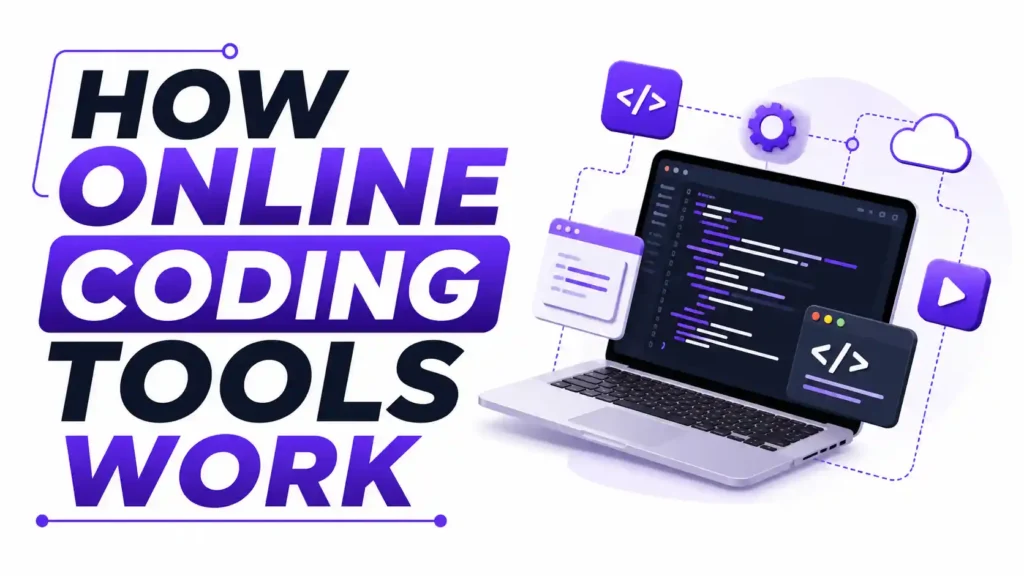
Most online coding platforms follow a similar architecture:
- You write code in a browser-based editor. This editor mimics desktop IDEs like Visual Studio Code, complete with syntax highlighting and error detection.
- Your code runs in a remote container or virtual machine. This is the actual code execution environment — isolated, secure, and disposable.
- Output streams back to your browser. For web development, this often means a live preview pane; for backend languages, it’s typically a console/terminal.
- Your project is saved to the cloud. Most platforms auto-save your work, and many integrate directly with GitHub for version control and deployment.
This is the essence of a cloud IDE — a full development environment accessible from anywhere, with the heavy lifting done on remote servers rather than your device.
Who Should Use Online Coding Tools?
- Beginners learning Python, JavaScript, or web development who don’t want to deal with installation errors
- Students using Chromebooks or shared school computers
- Freelancers and professional developers who need to prototype quickly or collaborate live
- Remote teams doing pair programming or code review
- Educators teaching programming without requiring students to install software
- Hobbyists experimenting with new programming languages before committing to a full local setup
Best Free Coding Tools Online (Compared)
Below is a breakdown of the most widely used free coding tools online, based on what they’re best suited for.
1. Replit
Replit is one of the most popular all-in-one cloud IDEs, supporting dozens of programming languages including Python, JavaScript, C++, and Java. It’s beginner-friendly, has a generous free plan, and increasingly integrates AI-assisted coding features that help autocomplete and explain code. Replit is a strong pick for students and anyone who wants a single platform that supports nearly every language.
2. GitHub Codespaces
Built by Microsoft-owned GitHub, Codespaces spins up a full, containerized development environment directly from a GitHub repository. It’s essentially VS Code in the browser, connected natively to Git and version control. GitHub Codespaces is best for developers who are already working within the GitHub ecosystem and want a production-grade DevOps workflow without local setup.
3. CodePen
CodePen is the go-to online code editor for frontend developers. It’s optimized for HTML, CSS, and JavaScript experimentation, making it perfect for testing UI ideas, sharing design snippets, or building a portfolio of frontend work. It’s less suited to backend or full-stack projects but excels at rapid frontend development iteration.
4. JSFiddle
JSFiddle is a lightweight code playground focused on quick JavaScript, HTML, and CSS testing. It’s minimal by design, which makes it fast to load and easy to share via a single link — useful for demonstrating a bug or a small proof of concept.
5. StackBlitz
StackBlitz specializes in modern frontend development frameworks like React, Angular, and Vue.js, running entirely in the browser using WebContainers technology. It’s an excellent choice for developers who want near-instant startup times for framework-based projects.
6. CodeSandbox
CodeSandbox is similar to StackBlitz, offering fast, framework-aware project scaffolding for React, Vue, and Node.js applications. It’s popular for sharing interactive code demos and for collaborative frontend development work.
7. Glitch
Glitch focuses on full-stack web application development, making it easy to build and instantly deploy small Node.js apps, APIs, and bots. Its community-driven remixing feature lets you fork and build on other people’s projects.
8. Visual Studio Code Web (vscode.dev)
For developers who want the familiar Visual Studio Code interface without installing it locally, vscode.dev offers a browser version with many of the same extensions and Git integration developers already know.
If your coding project also involves working with images or documents — say, exporting design assets or documentation — tools like image resizer, image compressor, or JPG to PNG converter can be handy companions alongside your coding stack.
Online IDE Comparison Table
| Tool | Best For | Languages Supported | AI Features | Collaboration |
|---|---|---|---|---|
| Replit | Beginners, all-purpose | 50+ languages | Yes | Yes |
| GitHub Codespaces | GitHub-based teams | Most languages | Copilot integration | Yes |
| CodePen | Frontend prototyping | HTML/CSS/JS | Limited | Yes |
| JSFiddle | Quick JS/CSS tests | HTML/CSS/JS | No | Limited |
| StackBlitz | Framework projects | JS frameworks | Limited | Yes |
| CodeSandbox | React/Vue demos | JS frameworks | Limited | Yes |
| Glitch | Full-stack apps | Node.js | No | Yes |
Common Mistakes When Choosing Online Coding Tools
- Picking a tool based on popularity alone. A platform that’s great for frontend snippets (like CodePen) isn’t the right choice for backend or full-stack development.
- Ignoring free-tier limitations. Most platforms cap compute time, storage, or the number of private projects — check these limits before committing to a workflow.
- Not connecting to GitHub early. Skipping version control integration makes it harder to track changes or collaborate later.
- Overlooking browser performance. Some cloud IDEs are resource-heavy even though they run remotely; older browsers or unstable internet can cause lag.
- Assuming all free tools support every language. Always verify language and framework support before starting a serious project.
- Neglecting security basics. Public projects on cloud IDEs can expose API keys or credentials if you’re not careful — use environment variables and
.gitignorefiles.
Practical Examples
- A student learning Python can open Replit, choose the Python template, and run their first script in under a minute — no installation of Python or a local interpreter required.
- A frontend developer testing a CSS animation might use CodePen to quickly preview changes live, then share the pen link with a client or teammate for feedback.
- A team collaborating on a GitHub repository can launch a GitHub Codespace directly from a pull request to review and test code changes in a fully configured environment.
- A developer prototyping a React component can spin up a StackBlitz project in seconds, without running
npm installlocally. - A hobbyist building a simple Discord bot could use Glitch to write, host, and keep the bot running continuously, all from the browser.
Future Trends in Online Coding Tools
The next wave of cloud coding environments is being shaped by three major shifts:
- Agentic AI coding environments — tools that don’t just autocomplete code but can plan, write, and test multi-step changes autonomously.
- AI-native IDEs — platforms built from the ground up around AI-assisted coding, rather than adding AI as an add-on feature.
- Cloud workstation platforms — enterprise-grade cloud development environments (like those from Google and Microsoft) that blur the line between “online tool” and “full development machine.”
As DevOps workflow automation matures, expect deeper integration between coding platforms, CI/CD pipelines, and containerized deployment — reducing the gap between writing code and shipping it to production.
Frequently Asked Questions

What is an online coding tool? An online coding tool is a browser-based platform that lets you write, run, and test code without installing software locally. It typically includes an editor, a live execution environment, and often built-in collaboration or version control features.
Can I learn coding online for free? Yes. Platforms like Replit, CodePen, and freeCodeCamp-style resources let you learn programming fundamentals entirely for free, with no software installation required, making them ideal starting points for beginners.
Which coding tool is easiest for beginners? Replit is widely considered one of the easiest platforms for beginners because it supports many languages, requires zero setup, and includes templates that get new coders running code within minutes.
Do I need to install software to code? No. Online coding tools run entirely in your browser, using remote servers to execute your code, so no local installation of compilers, interpreters, or IDEs is necessary.
What is the difference between an IDE and a code editor? An IDE (integrated development environment) includes a code editor plus additional tools like debuggers, compilers, and project management features, while a code editor focuses mainly on writing and formatting code.
Which online IDE supports Python? Most major online IDEs, including Replit, GitHub Codespaces, and vscode.dev, support Python natively, often with pre-configured templates that let you start coding immediately.
Are cloud IDEs secure? Reputable cloud IDEs use isolated containers, encrypted connections, and access controls to protect your code. However, users should still avoid hardcoding sensitive credentials directly into public projects.
Can online coding tools be used professionally? Yes. Tools like GitHub Codespaces and StackBlitz are built for production-grade workflows and are used by professional development teams for prototyping, code review, and even full application development.
Is GitHub Codespaces free? GitHub Codespaces offers a free monthly usage quota for individual accounts, after which usage is billed based on compute and storage consumption.
Does StackBlitz support Angular? Yes, StackBlitz has strong native support for Angular, React, and Vue.js, using WebContainer technology to run framework projects instantly in the browser.
What are the limitations of free coding tools? Common limitations include capped compute or storage, limited private projects, slower performance on complex builds, and occasional feature restrictions compared to paid tiers.
What coding platform works on Chromebook? Nearly all browser-based coding platforms — including Replit, CodePen, and GitHub Codespaces — work well on Chromebooks since they only require a modern browser and internet connection.
Key Takeaways
- Online coding tools let you write and run code without installing local software.
- Replit is best for beginners and multi-language projects.
- GitHub Codespaces suits teams already working within the GitHub ecosystem.
- CodePen, JSFiddle, and StackBlitz are ideal for frontend prototyping.
- Most platforms offer a free tier with usage limits, not unlimited access.
- AI-assisted coding features are becoming standard across major platforms.
- Cloud IDEs work well on low-end devices, including Chromebooks.
- Always connect your project to GitHub for proper version control.
- Free tools are suitable for learning, prototyping, and even some professional development work.
- The future points toward agentic, AI-native coding environments.
Expert Summary
Free online coding tools have matured into legitimate development environments, not just learning aids. Platforms like Replit, GitHub Codespaces, and StackBlitz now support real-world workflows, from prototyping to production-grade collaboration, all without local installation. For beginners, they remove setup friction entirely; for professionals, they offer fast, disposable environments ideal for prototyping and code review. As AI-assisted coding becomes standard, the gap between browser-based and desktop development continues to narrow, making free online coding tools a practical, long-term part of modern software development.
Conclusion
Choosing the right free coding tool depends on what you’re building and how you like to work. Beginners will likely feel most at home in Replit, frontend developers will lean toward CodePen or StackBlitz, and teams already using GitHub will benefit most from Codespaces. The good news is that none of these require a financial commitment to get started — you can try several, compare the experience, and settle on the one that fits your workflow best.
Call To Action
Ready to build your next project without installing a single piece of software? Pick one of the tools above and start coding today. And while you’re setting up your development workflow, explore more free utilities at the Mega Free Tools homepage — from a PDF to Word converter and QR code generator to a password generator for securing your accounts. If you need a custom tool or workflow built for your team, check out our services, learn more about us, or get in touch — we’re happy to help.