

The best free writing tools for bloggers include Grammarly (grammar checking), Hemingway Editor (readability), Google Docs (drafting), Notion (planning), QuillBot (paraphrasing), and ChatGPT (AI-assisted writing). These tools collectively cover every stage of the blogging workflow—from ideation to publishing—at zero cost.
Why Every Blogger Needs the Right Writing Tools
You don’t need a big budget to write like a pro. What you need is the right set of free tools working together.
Most bloggers spend hours drafting content that never ranks, gets ignored by readers, or is riddled with grammar issues—not because they lack talent, but because they lack a structured writing workflow. The tools in this guide solve that problem.
👉 Start optimizing your content right now at MegaFreeTools.com — a free, all-in-one toolkit built for bloggers, creators, and content professionals.
The Blogging Writing Problem (And How Tools Fix It)
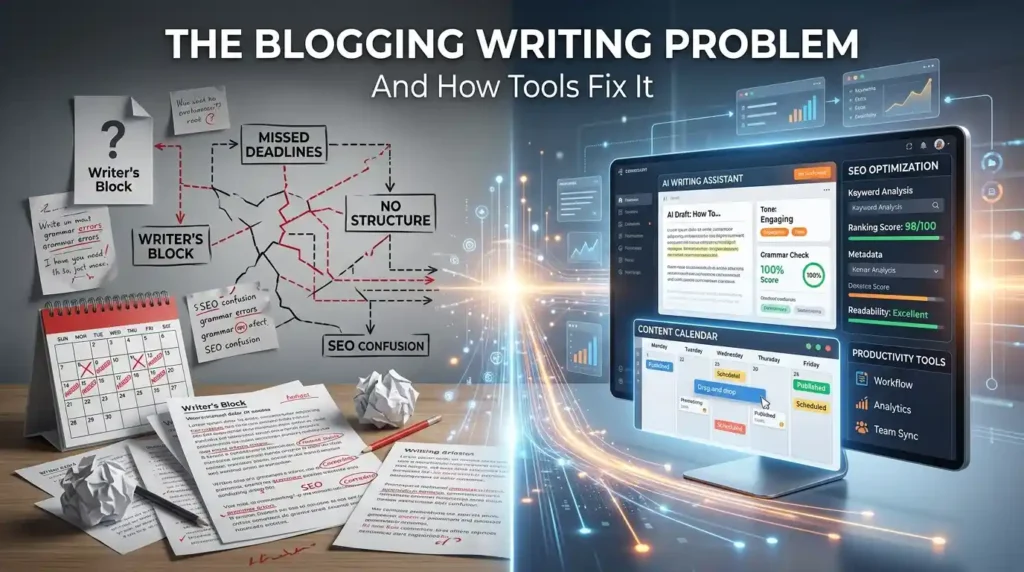
Modern blogging demands more than good ideas. Google’s Search Quality Evaluator Guidelines explicitly reward content that demonstrates Experience, Expertise, Authoritativeness, and Trustworthiness (E-E-A-T). That means your content needs to be well-researched, clearly written, readable, and SEO-optimized—all at once.
Writing tools help bloggers:
- Eliminate grammar and spelling errors that reduce credibility
- Improve readability scores to keep readers engaged longer
- Optimize for SEO with better keyword integration
- Speed up content production without sacrificing quality
- Organize ideas before a single sentence is written
Let’s break down the best free tools across every stage of your blogging workflow.
Stage 1: Planning & Ideation Tools
Google Docs — The Universal Blogging Hub
Best for: Drafting, collaboration, and cloud-based writing
Google Docs remains the most widely used free writing platform for bloggers worldwide. It offers real-time collaboration, auto-save, version history, and a clean distraction-free interface.
Key free features:
- Voice typing for faster drafting
- Built-in spell check and grammar suggestions (powered by Google AI)
- Easy sharing and commenting for editors or clients
- Seamless export to PDF, Word, and other formats
Use the MegaFreeTools Word Counter alongside Google Docs to track your article length and keyword density in real time.
Notion — The Blogger’s Content Brain
Best for: Content planning, editorial calendars, and idea organization
Notion’s free tier is powerful enough for most solo bloggers. Create databases for content calendars, track article statuses, store research notes, and manage your entire publishing workflow in one place.
Why bloggers love Notion:
- Flexible templates for editorial workflows
- Drag-and-drop content blocks
- Integrates with tools like Zapier and Make
- Offline-capable with the desktop app
Stage 2: Writing & Drafting Tools
Hemingway Editor — The Readability King
Best for: Improving sentence clarity and reading grade level
The Hemingway Editor is one of the most recommended free tools among professional bloggers. It highlights:
- Long, complex sentences (highlighted in yellow or red)
- Passive voice usage (green highlights)
- Adverb overuse (blue highlights)
- Readability grade level (aim for Grade 6–8 for most blog content)
According to research from the Nielsen Norman Group, users scan web content rather than read word-for-word. Hemingway forces you to write for scanners, not readers.
MegaFreeTools Online Notepad — Distraction-Free Writing
For bloggers who want a clean, instant writing space without logging into a full platform, the MegaFreeTools Online Notepad is a zero-friction option. Open it, start typing, and save your draft. No account required.
QuillBot — AI Paraphrasing & Sentence Rewriting
Best for: Beating writer’s block and rewriting awkward sentences
QuillBot’s free tier offers paraphrasing, grammar checking, and summarization. It’s especially useful when you’re stuck on how to rephrase a complex idea for a general audience.
Stage 3: Editing & Proofreading Tools
Grammarly (Free Tier) — The Gold Standard Grammar Checker
Best for: Real-time grammar, punctuation, and clarity corrections
Grammarly’s free version catches the most common writing errors automatically. It integrates with browsers, Google Docs, and desktop apps. While the premium version offers advanced suggestions, the free tier covers:
- Grammar and spelling corrections
- Basic clarity suggestions
- Tone detection
- Browser extension for writing anywhere online
Pro tip: Use Grammarly’s browser extension while writing in the MegaFreeTools Notepad for combined distraction-free writing with live error detection.
LanguageTool — The Open-Source Grammarly Alternative
Best for: Multilingual bloggers and those wanting a Grammarly alternative
LanguageTool is an open-source grammar and style checker that supports 30+ languages. It’s particularly useful for bloggers writing in British English, Spanish, German, or French.
MegaFreeTools Case Converter — Clean Up Your Formatting
Inconsistent capitalization is a surprisingly common issue in blog posts. The MegaFreeTools Case Converter lets you instantly convert text to Title Case, UPPERCASE, lowercase, or Sentence case—useful for headlines, subheadings, and metadata.
Stage 4: SEO Optimization Tools
MegaFreeTools Keyword Density Checker
One of the most underused SEO habits is checking keyword density after writing. Overusing a keyword triggers keyword stuffing penalties from Google; underusing it misses ranking signals. The MegaFreeTools Keyword Density Checker gives you an instant density report for any pasted text.
Aim for a natural keyword density of 0.5%–2.5% for your primary keyword.
Surfer SEO (Free Features) & Frase
Both tools offer limited free tiers for analyzing content against top-ranking pages. They show word count targets, semantic keywords to include, and heading structure recommendations.
MegaFreeTools AI Caption Generator
Visual content matters for SEO. Before you publish, generate optimized captions for your blog images with the MegaFreeTools AI Caption Generator. Well-written alt text and captions improve image search visibility and accessibility compliance per W3C’s WCAG guidelines.
Stage 5: Content Publishing & File Management Tools
Once your content is written and edited, you often need to convert, compress, or format it for your CMS or client.
MegaFreeTools offers a complete suite of free file tools that bloggers use daily:
| Task | Tool |
|---|---|
| Convert blog drafts to PDF | Text to PDF |
| Convert Word docs to PDF | Word to PDF |
| Convert PDF to editable Word | PDF to Word |
| Compress PDF for email/upload | PDF Compressor |
| Resize blog images | Image Resizer |
| Compress images without quality loss | Image Compressor |
| Remove image backgrounds | Background Remover |
| Convert PNG to JPG | PNG to JPG |
| Convert JPG to PDF | JPG to PDF |
| Merge multiple PDFs | Merge PDF |
| Split PDF chapters | Split PDF |
| Remove watermarks from images | Watermark Remover |
Explore the complete library at MegaFreeTools.com/tools/.
Stage 6: AI Writing Assistants
ChatGPT (Free Tier) — Your AI Research & Draft Partner
Best for: Research, outlining, overcoming writer’s block, first-draft generation
OpenAI’s ChatGPT free tier (GPT-4o mini) is one of the most capable free AI writing assistants available. Bloggers use it to:
- Generate outline structures for articles
- Research unfamiliar topics quickly
- Rewrite weak paragraphs
- Generate FAQ sections
- Brainstorm headline variations
Important: Always verify facts provided by ChatGPT against authoritative sources like Google Scholar, PubMed, or official government and industry sites before publishing.
Google Gemini — AI Writing Inside Google Workspace
For bloggers already using Google Docs, Google Gemini (integrated into the Workspace free tier) offers AI-powered drafting, summarization, and editing directly inside your document.
Claude by Anthropic — Long-Form Content Assistant
Claude (Anthropic) is increasingly popular for long-form blog content due to its large context window and nuanced writing style. The free tier handles complete article drafts, research summaries, and detailed rewrites.
How to Build a Free Blogger Writing Workflow (Step-by-Step)
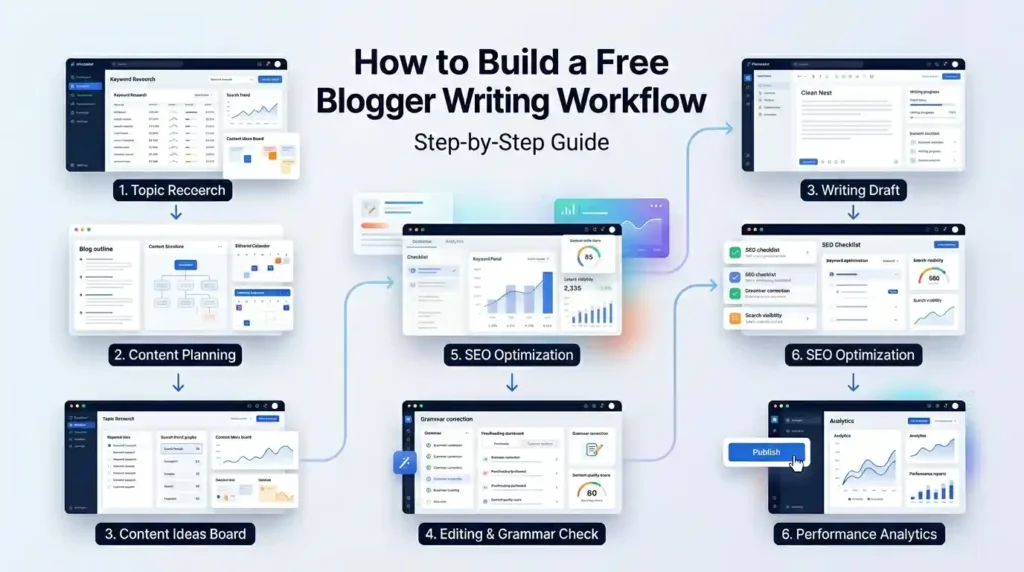
Step 1: Plan in Notion
Create a content calendar database. Add columns for: Topic, Target Keyword, Status, Publish Date, and Word Count Target.
Step 2: Research with ChatGPT or Gemini
Prompt: “Give me the top 10 questions readers have about [your topic], and list 5 authoritative sources I should reference.”
Step 3: Draft in Google Docs or MegaFreeTools Notepad
Write your first draft without editing. Get words on the page. Use the Word Counter to hit your target length.
Step 4: Readability Edit with Hemingway Editor
Paste your draft. Aim for Grade 7 reading level. Eliminate passive voice and long sentences.
Step 5: Grammar Check with Grammarly or LanguageTool
Run your Hemingway-edited draft through Grammarly’s free tier. Fix every red and yellow suggestion.
Step 6: SEO Optimize with Keyword Density Checker
Paste your final draft into the Keyword Density Checker. Verify your primary keyword appears naturally at the right density.
Step 7: Prepare Images
Use the Image Resizer and Image Compressor to optimize visuals. Generate captions with the AI Caption Generator.
Step 8: Export and Publish
Convert your Google Doc to PDF with Word to PDF if needed, or copy directly into your CMS.
Pros & Cons: Free vs. Paid Writing Tools
| Criteria | Free Tools | Paid Tools |
|---|---|---|
| Cost | ✅ Zero investment | ❌ $10–$100+/month |
| Core features | ✅ Covers 80–90% of needs | ✅ Advanced features |
| Grammar checking | ✅ Grammarly Free / LanguageTool | ✅ Grammarly Premium |
| AI writing | ✅ ChatGPT Free / Gemini Free | ✅ Jasper / Copy.ai |
| SEO features | ⚠️ Limited (density, basic analysis) | ✅ Full NLP scoring |
| Collaboration | ✅ Google Docs | ✅ Notion Team / Confluence |
| Customer support | ❌ Community/docs only | ✅ Priority support |
| Best for | Solo bloggers, beginners, side projects | Agency content teams, high-volume publishing |
Verdict: Free tools are entirely sufficient for bloggers publishing up to 10–15 articles per month. Upgrade to paid tools only when your content operation scales beyond what free tiers support.
Common Mistakes Bloggers Make With Writing Tools
1. Using AI output without editing AI writing tools generate plausible text, not always accurate text. Every AI-generated sentence needs a human review. Google’s Helpful Content System actively deprioritizes content that feels machine-generated and unhelpful.
2. Ignoring readability scores A Hemingway score of Grade 14 means your content reads like an academic paper. Most blog audiences expect Grade 6–8. High reading levels reduce time-on-page and increase bounce rates.
3. Skipping keyword density checks Writing without checking keyword usage leads to either over-optimization (keyword stuffing) or under-optimization (missed ranking signals). Always verify with the Keyword Density Checker.
4. Not compressing images before upload Uncompressed images are one of the top causes of slow page load times. Google’s Core Web Vitals directly penalize slow-loading pages. Always run images through the Image Compressor before uploading.
5. Writing in a single draft session The best bloggers separate drafting from editing. Write today, edit tomorrow. Fresh eyes catch errors tired eyes miss—no tool replaces this.
6. Over-relying on one tool No single tool covers everything. Grammarly catches grammar issues but not readability. Hemingway improves clarity but won’t check SEO. A stacked workflow using multiple free tools always outperforms any single tool.
Tool Comparison: The Big Four Free Writing Tools
| Feature | Grammarly Free | Hemingway Editor | QuillBot Free | LanguageTool Free |
|---|---|---|---|---|
| Grammar check | ✅ Excellent | ❌ No | ✅ Basic | ✅ Very Good |
| Readability scoring | ⚠️ Basic | ✅ Excellent | ❌ No | ❌ No |
| Paraphrasing | ❌ No | ❌ No | ✅ Yes | ❌ No |
| Multilingual | ❌ English only | ❌ English only | ⚠️ Limited | ✅ 30+ languages |
| Browser extension | ✅ Yes | ❌ No | ✅ Yes | ✅ Yes |
| Google Docs integration | ✅ Yes | ❌ No | ✅ Yes | ✅ Yes |
| Free word/use limit | Unlimited | Unlimited | 125 words/paraphrase | 20,000 chars/day |
Frequently Asked Questions (FAQ)
What are the best free writing tools for bloggers in 2026? The top free writing tools for bloggers are Grammarly (grammar), Hemingway Editor (readability), Google Docs (drafting), Notion (planning), QuillBot (paraphrasing), ChatGPT (AI writing), and MegaFreeTools (SEO, file conversion, image optimization). Together, they cover the full blogging workflow at no cost.
Is Grammarly free for bloggers? Yes. Grammarly offers a permanently free tier that includes real-time grammar, punctuation, and spelling corrections. The free version works in browsers, Google Docs, and desktop apps—sufficient for most individual bloggers.
Can AI writing tools replace human bloggers? No. AI tools like ChatGPT and Gemini are drafting assistants, not replacements. They generate content fast but lack lived experience, original research, and accurate sourcing. Google’s E-E-A-T framework specifically rewards human experience and expertise. Use AI to accelerate your workflow, not replace your voice.
What is the best free writing tool for beginners? Google Docs is the best starting point for beginner bloggers—it’s free, cloud-based, auto-saves, and requires no software installation. Pair it with Grammarly’s free browser extension and the MegaFreeTools Word Counter for a solid beginner workflow.
How do writing tools improve SEO? Writing tools improve SEO by optimizing readability (lower bounce rates), catching grammar errors (higher E-E-A-T signals), and checking keyword density (balanced optimization). The Keyword Density Checker specifically helps bloggers hit the right keyword frequency without triggering spam filters.
Are free writing tools good enough for professional bloggers? For most blogging use cases—yes. Tools like Google Docs, Grammarly Free, Hemingway Editor, and the MegaFreeTools suite collectively cover planning, drafting, editing, SEO optimization, and file management at zero cost. Professional bloggers upgrade to paid tools only when scaling to agency-level content volume.
What is the best tool to improve blog readability? Hemingway Editor is the gold standard for readability improvement. It highlights complex sentences, passive voice, and adverb overuse, and gives you a reading-grade-level score. Aim for Grade 6–8 for most blog audiences.
How do I write blog posts faster using free tools? Use ChatGPT to generate your outline and FAQ sections, draft in Google Docs with voice typing enabled, run the draft through Hemingway Editor for quick edits, then use Grammarly Free for final grammar checks. This workflow typically cuts drafting time by 40–60%.
What free tools help with blog image optimization? MegaFreeTools offers a complete free image optimization suite: Image Resizer, Image Compressor, Background Remover, PNG to JPG, and Watermark Remover.
Is there a free tool to convert blog drafts to PDF? Yes. Use MegaFreeTools Text to PDF or Word to PDF to instantly convert your drafts. For the reverse, PDF to Word converts any PDF back to an editable document.
What writing tools do professional bloggers actually use? Professional bloggers typically combine: Google Docs or Notion (drafting/planning), Grammarly (grammar), Hemingway Editor (readability), Surfer SEO or Frase (SEO scoring), ChatGPT or Claude (AI assistance), and MegaFreeTools (file management, image optimization, SEO utilities).
Can free writing tools help with writer’s block? Yes. QuillBot’s paraphrasing tool helps reframe stuck sentences. ChatGPT can generate five different opening paragraphs for any topic. The MegaFreeTools Online Notepad provides a clean, pressure-free writing space that many bloggers use specifically for first drafts.
Expert Summary
The most effective blogging writing stack in 2026 is built entirely on free tools. By combining Google Docs for drafting, Hemingway Editor for readability, Grammarly for grammar, ChatGPT for AI assistance, and MegaFreeTools for SEO and file management, bloggers can produce professional, search-optimized content without spending a dollar. The key is building a repeatable workflow—not switching tools constantly—so your writing process becomes faster and your content quality improves with every article you publish.
Ready to take your blogging workflow to the next level?
👉 Explore the full library of 50+ free tools at MegaFreeTools.com — no sign-up required, no paywalls, no limits.
From the Word Counter to the Keyword Density Checker, the AI Caption Generator to the complete PDF toolkit, everything you need to write, optimize, and publish better blog content is already waiting for you. Start using free tools now →
For questions or feedback, visit the MegaFreeTools Contact Page or learn more on the About Us page.


I would like to thank you for the efforts you have put in writing this blog.
I am hoping to see the same high-grade content from you
later on as well. In fact, your creative writing abilities has motivated me to
get my own, personal blog now 😉