

When you finish writing an important document — a resume, a report, a business proposal — one question always comes up: should you save it as a PDF or a Word file? It sounds like a small decision, but choosing the wrong format can cost you a job interview, break your document's layout, or make editing a nightmare.
This complete guide breaks down the PDF vs Word comparison in plain English, so you always know exactly which format to use and why.
If you need to convert between formats right now, tools like [MegaFreeTools](https://megafreetools.com/) make it fast and free — including a dedicated [Word to PDF converter](https://megafreetools.com/word-to-pdf/) and a [PDF to Word converter](https://megafreetools.com/pdf-to-word/).
What Is a PDF File?
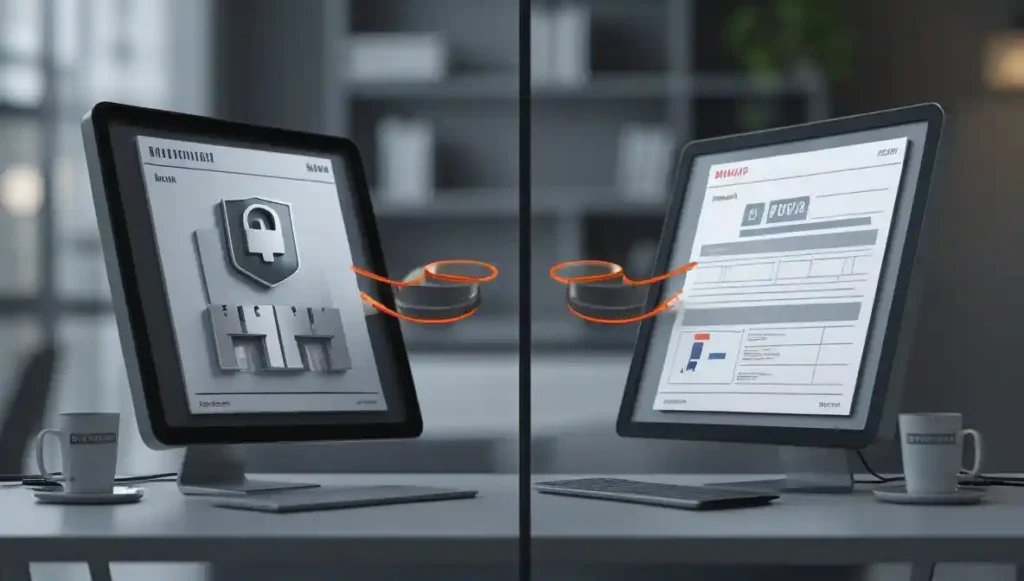
PDF stands for Portable Document Format. Adobe developed it in the early 1990s specifically so that documents would look exactly the same on every device, operating system, and printer — without needing the original software to open them.
When you open a PDF on a Windows laptop, an iPhone, or a Linux computer, the layout, fonts, images, and spacing are identical. That consistency is the entire point of the portable document format.
PDFs are generally non-editable without special tools, which is actually a feature — it means no one can accidentally (or intentionally) change your document after you send it.
What Is a Word Document?
A Word document (saved as .doc or .docx) is a file format created by Microsoft for its word processing software, Microsoft Word. Unlike PDF, a Word document is designed to be edited. You can change text, move images, reformat paragraphs, and collaborate with others in real time.
Word documents are the go-to editable document format for drafting, revising, and collaborating. However, how a Word file looks depends heavily on the software version, installed fonts, and device settings of whoever opens it. A perfectly formatted document on your computer can look completely different on someone else's screen.
For a reliable online editing alternative, check out [MegaFreeTools' Online Notepad](https://megafreetools.com/notepad-online/) or their [Word Counter tool](https://megafreetools.com/word-counter/) for quick text tasks.
---
PDF vs Word: Key Differences at a Glance
| Feature | PDF | Word (DOCX) |
| Editability | Limited (needs special tool)| Fully editable |
| Layout Consistency | 100% consistent everywhere | Varies by device/software |
| File Size | Often smaller (compressed) | Can be larger with images |
| Security | Password protection, encryption | Basic protection |
| Collaboration | Limited | Excellent (track changes) |
| Compatibility | Opens on any device | Needs Word or compatible app |
| Best For | Sharing, printing, archiving| Drafting, editing, teamwork |
| ATS Compatibility | Good (modern ATS) | Excellent |
---
Advantages of PDF Over Word
**1. Formatting Stays Intact**
The single biggest advantage of PDF over Word is that your formatting never breaks. Margins, fonts, columns, headers — everything stays exactly where you put it. Whether your recipient opens it on a Mac, Android tablet, or a printer in another country, the document looks identical.
This is critical for resumes, contracts, brochures, and any document where visual presentation matters.
**2. Works on Any Device Without Special Software**
Anyone can open a PDF. iPhones, Android phones, Chromebooks, and even web browsers open PDF files natively. You do not need Microsoft Word, a paid subscription, or any specific software.
**3. Better Security for Sensitive Documents**
PDFs support encryption, password protection, and digital signatures. You can prevent copying, printing, or editing at a permission level that Word simply does not match. For legal contracts, confidential reports, or official documents, PDF's document security level is far superior.
**4. Smaller, Print-Ready Files**
PDFs are typically optimized for printing. What you see on screen is precisely what comes out of the printer. If you regularly send documents to print, use our free [PDF Compressor](https://megafreetools.com/pdf-compressor/) to reduce file size without quality loss.
**5. Professional Appearance**
Sending a PDF signals professionalism. It shows that your document is final, polished, and intentional — not a draft that might be edited.
---
Advantages of Word Over PDF
**1. Easy to Edit and Update**
Word documents are built for editing. You can make changes instantly, undo them, and track every revision using the built-in track changes feature. If you are still drafting or need to revise content frequently, Word is the right choice.
**2. Real-Time Collaboration**
With Microsoft 365 and tools like Google Docs, multiple people can work on a Word document simultaneously. Comments, suggested edits, and version history make collaboration seamless. PDF simply cannot match this for team-based writing.
**3. Templates and Automation**
Word offers thousands of templates for reports, letters, invoices, and proposals. Combined with mail merge and macros, Word documents are powerful for businesses that produce large volumes of customized documents.
**4. Better for ATS (Applicant Tracking Systems) — Sometimes**
Many older ATS systems parse Word documents more reliably than PDFs. If a job application explicitly asks for a Word file, always follow instructions. However, modern ATS platforms now handle PDF just as well.
---
When Should You Use PDF?
Use the PDF format when:
- You are submitting a final resume or CV and no edits are expected
- You are sending a signed contract, legal agreement, or official document
- You want your document to print exactly as designed
- You are sharing a report, brochure, or presentation for viewing only
- You need to protect sensitive content from easy modification
- You are distributing a document to people who may not have Microsoft Word
For quick PDF tasks — splitting pages, merging files, or converting images — [MegaFreeTools](https://megafreetools.com/tools/) has a full suite of free options:
- [Split PDF](https://megafreetools.com/split-pdf/)
- [Merge PDF](https://megafreetools.com/tools/marge-pdf/)
- [Text to PDF](https://megafreetools.com/text-to-pdf/)
- [PNG to PDF](https://megafreetools.com/png-to-pdf/)
- [JPG to PDF](https://megafreetools.com/jpg-to-pdf/)
When Should You Use Word?
Use the Word document format when:
- You are still drafting and expect revisions
- You are collaborating with a team that needs to leave comments or tracked changes
- An employer or institution explicitly requests a .docx file
- You are creating a template that others will fill out
- You need to use mail merge, macros, or advanced formatting tools
- You are building a fillable form
PDF vs Word for Resume and CV: Which Is Better?
This is one of the most common document format comparison questions job seekers ask, and the answer depends on context.
**Use PDF for your resume when:**
- The job posting does not specify a format
- You are applying to companies that value a polished, consistent presentation
- You want to protect your formatting on the recruiter's screen
- You are applying internationally (especially in Pakistan, the UK, and across Asia where PDF is widely preferred)
**Use Word for your resume when:**
- The job description explicitly requests a .doc or .docx file
- You are applying through an older ATS system
- The recruiter or HR contact asks you to send an editable version
For CV/resume format in Pakistan and for international applications, PDF is generally the safer, more professional choice. You can convert your resume instantly using [MegaFreeTools' Word to PDF converter](https://megafreetools.com/word-to-pdf/).
For more insights on professional document formatting and standards, [Baco Consultants](https://bacoconsultants.com/) offers expert guidance on document compliance and professional writing.
PDF vs Word for Official and Academic Submissions
Universities, government offices, and official institutions almost always prefer PDF because it guarantees document integrity. A submitted PDF cannot be accidentally changed during transit or after submission — making it the trusted format for applications, theses, legal filings, and government documentation.
In contrast, Word documents are more commonly used in academic settings for draft submissions, peer review, or any context where instructors want to leave tracked comments.
For academic and professional productivity tools, [Toolify Worlds](https://toolifyworlds.com/) offers a range of resources to support your document workflow.
PDF vs Word for Printing
PDF wins when it comes to printing, without question.
PDF was designed from the ground up for print consistency. The document you see on screen is a perfect preview of what will print. Page breaks, margins, and font rendering are locked in.
Word documents can shift unpredictably when printed — page breaks move, fonts substitute if unavailable, and headers or footers behave differently on different printers.
If you regularly print professional documents, always convert to PDF first. Use [MegaFreeTools' free Word to PDF tool](https://megafreetools.com/word-to-pdf/) before sending anything to a printer.
Can You Convert Between PDF and Word Easily?
Yes — and it is easier than most people think.
**Converting Word to PDF:** Most versions of Microsoft Word have a built-in "Save as PDF" or "Export to PDF" option. You can also use a free online tool like [MegaFreeTools' Word to PDF converter](https://megafreetools.com/word-to-pdf/) for instant results with no software required.
**Converting PDF to Word:** This is slightly more complex because PDF to Word conversion requires interpreting the PDF's fixed layout and rebuilding it as editable text. Modern tools handle this well. Try [MegaFreeTools' PDF to Word converter](https://megafreetools.com/pdf-to-word/) for accurate, fast conversion.
You can also extract images from PDFs and convert them to other formats with tools like [PDF to JPG](https://megafreetools.com/pdf-to-jpg/), [JPG to PNG](https://megafreetools.com/jpg-to-png/), and [PNG to JPG](https://megafreetools.com/png-to-jpg/).
---
Document Security: PDF vs Word
When document security is a priority, PDF is the clear winner. Here is why:
- PDF supports AES 256-bit encryption
- You can set separate passwords for opening and for editing or printing
- PDFs support certified digital signatures, which verify the document has not been altered
- You can disable text copying, screenshot capture, or printing entirely
Word files offer basic password protection, but they are easier to bypass and lack the layered security controls of PDF.
For tasks that require additional security — like generating secure access codes — use tools like [MegaFreeTools' Password Generator](https://megafreetools.com/passwords-generator/).
---
File Size: PDF vs Word
PDF files tend to be smaller than their Word equivalents, especially when compressed. A compressed PDF loads faster in email, takes less storage, and is easier to share.
Word files can grow significantly in size when they contain embedded images, tracked changes history, or complex formatting.
Always compress your PDF before sharing. Use [MegaFreeTools' PDF Compressor](https://megafreetools.com/pdf-compressor/) to reduce file size in seconds.
---
Frequently Asked Questions (FAQ)
*What is the difference between PDF and Word?*
PDF (Portable Document Format) is a fixed-layout format designed for consistent viewing and printing on any device. Word (.docx) is an editable format designed for drafting, revising, and collaborating. PDF preserves formatting perfectly; Word is better for ongoing editing.
**Which is better — PDF or Word?**
It depends on your goal. PDF is better for sharing, printing, and submitting final documents. Word is better for editing, drafting, and collaboration. For most final submissions — including resumes and official documents — PDF is the recommended choice.
**When should I use PDF instead of Word?**
Use PDF when you want consistent formatting, when sharing a final document, when security matters, or when the recipient might not have Microsoft Word installed.
**Can I edit a PDF file like a Word document?**
Not directly without a specialized PDF editor. However, you can convert a PDF back to Word using tools like [MegaFreeTools' PDF to Word converter](https://megafreetools.com/pdf-to-word/), edit it in Word, and then convert it back to PDF.
**Why is PDF more secure than Word?**
PDF supports encryption, digital signatures, and permissions that restrict editing, copying, or printing. Word files have basic protection but lack these advanced security layers.
**Which format is best for a CV or resume?**
PDF is best for most resumes because it preserves formatting on every screen and looks professional. Use Word only if the employer specifically requests a .docx file.
**Can PDF be converted to Word easily?**
Yes. Modern conversion tools, including [MegaFreeTools' PDF to Word converter](https://megafreetools.com/pdf-to-word/), handle this accurately and quickly, even for complex formatted documents.
**Is PDF or Word better for job applications in Pakistan?**
In Pakistan — and across Asia and the UK — PDF is the widely preferred format for job applications, official submissions, and government documentation because it maintains formatting consistency and appears more professional.
---
Conclusion: PDF vs Word — The Final Verdict
Both PDF and Word are excellent formats, but they serve different purposes.
Use **Word** when you are creating, drafting, or collaborating on a document that is still being worked on.
Use **PDF** when you are done — when you want your document to look perfect, stay secure, and be ready to share with the world.
For most professional scenarios — resumes, official submissions, printed reports, legal documents — PDF is the smarter, safer choice. And switching between the two is easier than ever with free tools like those available at [MegaFreeTools](https://megafreetools.com/).
Whether you need to [convert Word to PDF](https://megafreetools.com/word-to-pdf/), [compress a PDF](https://megafreetools.com/pdf-compressor/), [merge PDFs](https://megafreetools.com/tools/marge-pdf/), [remove a watermark](https://megafreetools.com/watermark-remover/), [resize an image](https://megafreetools.com/image-resizer/), or [generate a QR code](https://megafreetools.com/qr-code-generator/) — MegaFreeTools has you covered with fast, free, no-signup tools for every document task.
---
Related Tools You May Find Useful:
- [Image Compressor](https://megafreetools.com/image-compressor/)
- [Background Remover](https://megafreetools.com/tools/background-remover/)
- [Color Picker](https://megafreetools.com/tools/color-picker/)
- [Case Converter](https://megafreetools.com/tools/case-converter/)
- [JSON Validator](https://megafreetools.com/json-validator/)
- [All Free Tools](https://megafreetools.com/tools/)
- [Our Services](https://megafreetools.com/services/)
- [About Us](https://megafreetools.com/about-us/)
- [Contact Us](https://megafreetools.com/contact-us/)
External Links Used: https://toolifyworlds.com/ | https://bacoconsultants.com/

