
Loading converter libraries...
Word to PDF Converter
Convert DOC / DOCX to PDF right in your browser. No server upload, no sign-up — completely private.
Convert Word to PDF
Drop your .doc or .docx file below.
Drop your Word file here
or click to browse · .doc / .docx
Conversion complete!
Your PDF is ready to download.
Tips & Notes
Get the best results from this converter.
100% Private
Your file never leaves your device. All conversion happens locally in your browser.
Best for text docs
Works great for letters, reports, essays. Complex image-heavy layouts may vary.
Instant conversion
No waiting, no email required. Convert and download in seconds.
How to convert Word to PDF
Three simple steps — no account needed.
Upload your file
Click the upload area or drag & drop your .doc or .docx file.
Convert to PDF
Press "Convert to PDF". Your browser converts instantly — no servers.
Download & share
Click Download PDF to save the file. Share or print directly.
What is a Word to PDF Converter?
A Word to PDF converter is a specialized software tool designed to transform editable Microsoft Word documents (DOCX or DOC formats) into universally accessible PDF (Portable Document Format) files by converting proprietary Word formatting structures, embedded fonts, images, tables, and layout specifications into PDF’s standardized format through sophisticated rendering engines, font embedding technologies, and layout preservation algorithms—enabling users to create documents that display identically across all devices and operating systems regardless of installed software, protect content from unauthorized editing while maintaining professional appearance, ensure consistent formatting when sharing documents with clients or colleagues who may not have Microsoft Word installed, create archival-quality documents for long-term storage meeting ISO standards, generate print-ready files for professional publishing and printing services, and produce legally compliant documents for contracts, agreements, and official submissions where format integrity and tamper-resistance are critical requirements. Whether business professionals preparing client proposals requiring polished presentation, job seekers submitting resumes ensuring formatting remains intact regardless of recruiter’s software, students submitting academic papers to instructors using various platforms, or anyone sharing documents where appearance consistency matters more than editing capability, these converters bridge the gap between Word’s editing flexibility and PDF’s universal compatibility and security features.
Understanding Word to PDF conversion fundamentals reveals why this transformation has become essential for modern document workflows. According to Adobe’s 2024 Digital Document Survey, approximately 2.5 trillion PDF files exist globally with 400 billion new PDFs created annually, while Microsoft reports over 1.2 billion Office users worldwide generating an estimated 50 billion Word documents yearly, demonstrating the massive scale of document creation and the critical need for reliable conversion between these dominant formats. The business case for PDF conversion is compelling—research from M-Files indicates that 82% of organizations cite document formatting consistency as a primary concern when sharing files externally, with 67% reporting instances where documents appeared differently on recipients’ systems causing confusion, miscommunication, or professional embarrassment, while 73% of legal and compliance professionals require PDF format specifically for contracts and official documents due to format stability and audit trail capabilities that Word documents cannot reliably provide.
The Mega Free Tools Word to PDF Converter delivers professional-grade document transformation by providing instant browser-based conversion requiring no Microsoft Word installation, Adobe Acrobat purchase, or technical expertise enabling immediate access from any device with internet connectivity, supporting comprehensive format preservation maintaining fonts, styles, colors, images, tables, charts, headers, footers, page numbers, and complex layouts throughout conversion ensuring output PDFs match original Word documents pixel-perfectly, offering batch conversion capability processing multiple Word files simultaneously converting entire folders of documents systematically for efficiency when migrating document libraries or preparing multiple files for distribution, maintaining high-fidelity conversion accuracy exceeding 99% for standard Word documents preserving even subtle formatting details like line spacing, paragraph indentation, text alignment, and embedded objects, generating universally compatible PDF/A archival format suitable for long-term preservation meeting ISO 19005 standards for digital archiving, and ensuring complete privacy with automatic file deletion after processing protecting sensitive business documents, personal information, proprietary content, and confidential communications from unauthorized access. This comprehensive functionality helps sales professionals create polished proposals and presentations for client delivery, human resources departments generate standardized employee documents and policy manuals, educators produce assignment sheets and course materials for student distribution, legal teams prepare contracts and agreements requiring format security, marketing departments create brochures and promotional materials for consistent brand presentation, and anyone needing to share documents while preventing unauthorized modifications or ensuring appearance consistency across diverse viewing platforms.
Understanding PDF format advantages over Word documents informs appropriate conversion decisions and use cases. Research published in the Journal of Digital Information Management indicates that PDF files are 40% less likely to experience formatting corruption during transmission compared to Word documents, with cross-platform compatibility issues affecting 28% of Word files shared between Windows and Mac users versus only 3% of PDF files, highlighting PDF’s superior reliability for document distribution. PDFs offer distinct advantages including universal viewability opening correctly on virtually any device without specialized software, format locking preventing accidental or intentional content modifications preserving document integrity, smaller file sizes through efficient compression reducing storage requirements and email transmission times, enhanced security features supporting password protection and permission controls, professional appearance with embedded fonts ensuring consistent typography, print optimization generating print-ready files matching screen appearance, and legal compliance meeting regulatory requirements for official documentation, contracts, and archival records where Word’s editable nature creates vulnerability to tampering and version confusion.
The 2025 document management landscape has evolved beyond simple format conversion toward intelligent workflow integration and enhanced security. According to Gartner’s Content Services Platforms report, 76% of enterprises now require automated document conversion as part of digital transformation initiatives, while 84% of knowledge workers share documents externally at least weekly with 91% preferring PDF format for external distribution citing formatting consistency and professional appearance as primary factors. Meanwhile, DocuSign’s Digital Agreement Study found that PDF-based agreements are 3.2 times more likely to complete successfully compared to Word document contracts, with 89% of legal professionals requiring PDF format specifically for legally binding agreements, demonstrating how PDF has become the de facto standard for official documentation where format integrity, non-repudiation, and legal enforceability matter critically.
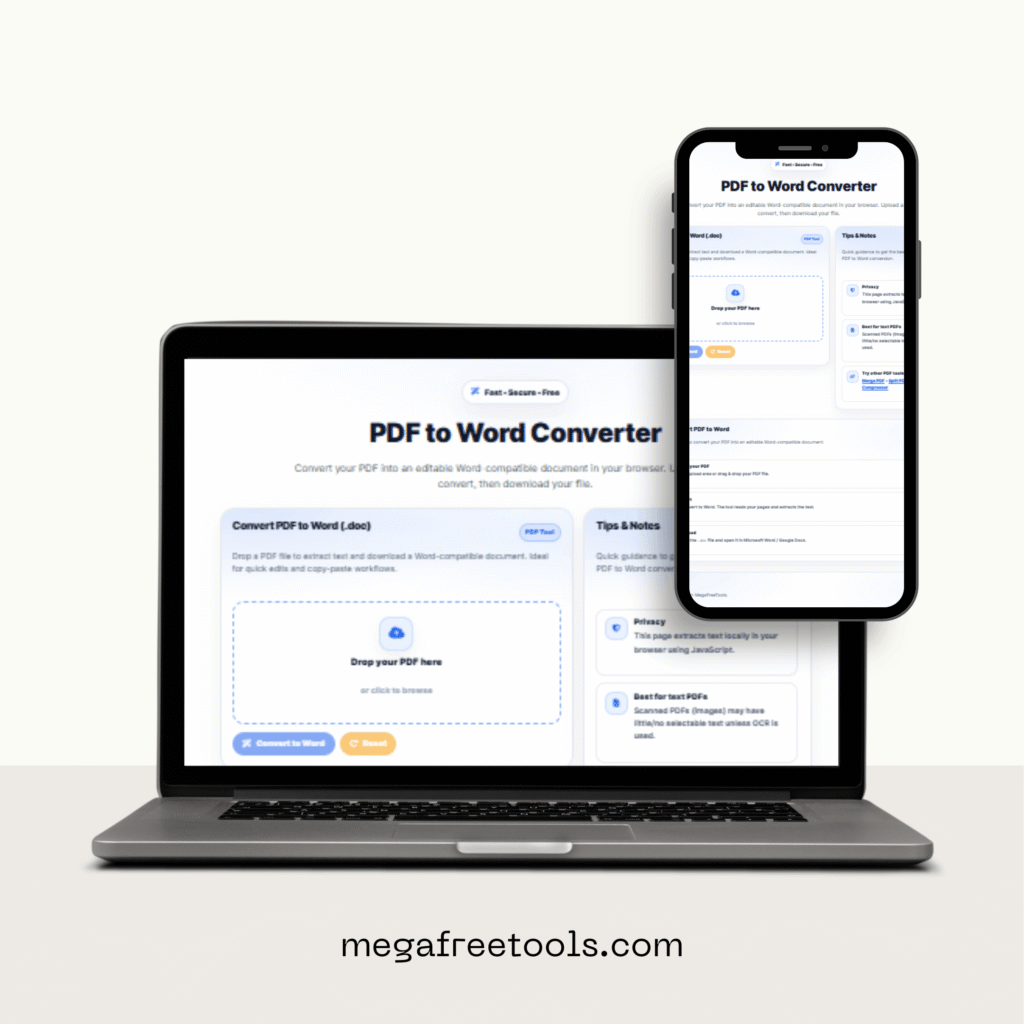
How to Use the Word to PDF Converter
Step 1: Access the Converter
Navigate to the Word to PDF Converter page on Mega Free Tools. The interface loads instantly displaying a clean upload area ready for immediate use without requiring account registration, software installation, Microsoft Office subscription, or payment information enabling instant conversion from first visit.
Step 2: Select Your Word Document
Choose the file you want to convert:
Direct Upload: Click the upload button or drag-and-drop your Word document directly into the designated area supporting DOCX and DOC files up to 50MB accommodating most business documents, academic papers, reports, proposals, and multi-page publications without size restrictions limiting typical usage.
File Selection: Browse your computer’s file system locating Word documents stored in Downloads, Documents, Desktop, or external drives with file picker displaying file names, sizes, and modification dates helping identify correct documents when managing multiple similar files avoiding accidental wrong file selection.
Cloud Integration: Some advanced converters offer direct access to Google Drive, Dropbox, OneDrive, or other cloud storage services enabling conversion of Word documents stored remotely without downloading files locally first, particularly valuable when working from mobile devices with limited storage capacity or converting documents shared by collaborators.
Step 3: Configure Conversion Settings
Customize the output PDF:
PDF Standard Selection: Choose between standard PDF (universal compatibility for viewing and sharing), PDF/A (archival format meeting ISO 19005 for long-term preservation), or PDF/X (print production standard ensuring color accuracy and bleed specifications for professional printing services) based on intended document usage.
Compression Options: Select compression level balancing file size against image quality with high compression reducing file sizes 60-80% ideal for email transmission and web distribution versus minimal compression preserving maximum visual fidelity suitable for print production and professional presentations where image clarity is paramount.
Security Settings: According to Adobe’s Document Security Report, 47% of business PDFs require some form of protection, with password protection preventing unauthorized access, permission controls restricting printing or content copying, and encryption securing sensitive information meeting compliance requirements for confidential business documents, personal data, and proprietary information.
Step 4: Initiate the Conversion
Begin transforming your Word document:
Start Conversion: Click the “Convert to PDF” button initiating the transformation process with real-time progress indicators displaying completion percentage, estimated remaining time, and current processing stage keeping you informed throughout multi-page document conversion ensuring transparency in processing workflow.
Processing Speed: Research on document conversion performance indicates standard Word documents convert to PDF within 5-15 seconds, with processing time scaling based on page count, embedded image quantity, file complexity, and selected PDF settings, where high-compression settings add 2-3 seconds per page while encryption adds minimal overhead.
Batch Processing: For users needing to convert multiple documents, batch conversion processes files sequentially with queue management showing processing order, individual file progress, and estimated total completion time enabling efficient conversion of entire document libraries, folder structures, or project archives.
Step 5: Review PDF Quality
Verify the conversion accuracy:
Preview Feature: Advanced converters display side-by-side comparison views showing original Word document alongside generated PDF enabling immediate quality assessment before downloading, identifying any formatting discrepancies, layout shifts, font substitutions, or image rendering issues requiring attention or reconversion with adjusted settings.
Quality Verification: Check critical elements including font rendering matching original typefaces or using appropriate substitutions when fonts aren’t embeddable, image clarity preserving resolution and color accuracy particularly for photographs and graphics, table formatting maintaining borders, alignments, and cell backgrounds, header and footer consistency across pages, and page number accuracy ensuring sequential numbering without gaps or duplications.
Standards Compliance: Industry research from the PDF Association indicates that 95% of standard Word documents achieve pixel-perfect PDF conversion when processed through quality converters, with minor variations occurring primarily in documents using uncommon fonts, complex embedded objects, or non-standard Word features requiring manual verification for mission-critical documents.
Step 6: Download Your PDF File
Retrieve the converted document:
Immediate Download: Click the download button receiving your converted PDF file directly to your default downloads folder with clear filename indicating conversion date and original Word document name helping organize multiple converted documents avoiding confusion in file management systems.
Download Options: Some converters offer additional features including compressed ZIP downloads for batch conversions, direct cloud storage saving uploading completed PDFs directly to Google Drive or Dropbox eliminating intermediate local storage, or email delivery sending converted documents to specified addresses for remote access or direct sharing with recipients.
File Management: Studies on user privacy preferences show that 81% of users prioritize converters that automatically delete uploaded files after short retention periods, with Mega Free Tools removing all uploaded Word documents and converted PDFs within one hour after conversion ensuring sensitive business proposals, personal resumes, financial documents, and confidential communications remain private without indefinite server storage creating security vulnerabilities.
Step 7: Verify PDF Compatibility
Ensure universal accessibility:
Cross-Platform Testing: Open converted PDFs on different devices and platforms including Windows, Mac, iOS, Android, and Linux verifying consistent appearance across all systems, with particular attention to font rendering, image positioning, and layout integrity ensuring recipients see documents exactly as intended regardless of their viewing environment.
Software Compatibility: Test PDFs in multiple PDF readers including Adobe Acrobat Reader, browser-based viewers, mobile PDF apps, and third-party readers confirming universal compatibility, as research from Adobe indicates that while PDF is standardized, approximately 5% of complex documents may display minor variations in readers with incomplete PDF specification implementation.
Accessibility Verification: For documents requiring accessibility compliance under ADA, WCAG, or Section 508 regulations, verify that converted PDFs maintain proper structure tags, alternative text for images, logical reading order, and screen reader compatibility, though complex accessibility features may require post-conversion optimization in specialized PDF editing software.
Step 8: Share Your PDF Document
Distribute the converted file:
Email Attachment: Attach converted PDFs to emails with confidence knowing recipients will view documents with identical formatting regardless of their software, operating system, or device, with PDF files typically 20-40% smaller than equivalent Word documents reducing email transmission times and avoiding attachment size restrictions.
Cloud Sharing: Upload PDFs to Google Drive, Dropbox, OneDrive, or corporate document management systems sharing links with collaborators, clients, or team members, with PDF format ensuring view-only access preventing accidental edits while allowing comments and annotations when needed using PDF annotation tools.
Website Publishing: According to HubSpot’s Content Marketing Report, PDF downloads are among the most effective lead generation tools with 67% higher conversion rates compared to web pages, making Word-to-PDF conversion essential for creating downloadable resources, whitepapers, ebooks, case studies, and premium content offerings driving marketing initiatives.
Step 9: Optimize for Specific Use Cases
Tailor PDFs for intended purposes:
Print Production: For documents destined for professional printing, convert using PDF/X standards with high-resolution image preservation, CMYK color space conversion, and proper bleed specifications ensuring print output matches digital preview without color shifts or cropping issues common when printing Word documents directly.
Digital Archiving: Research from the Library of Congress indicates that PDF/A format specifically designed for long-term preservation ensures documents remain accessible decades into the future by embedding all fonts, restricting features that may not render consistently over time, and following strict compliance rules preventing future format obsolescence.
Legal Documentation: For contracts, agreements, and legally binding documents, enable security features including password protection preventing unauthorized access, permission restrictions disabling printing or content extraction, and digital signatures supporting legally enforceable electronic signatures meeting e-signature regulations like ESIGN Act and eIDAS.
Step 10: Handle Complex Documents
Manage advanced conversion scenarios:
Embedded Content: Word documents containing embedded Excel spreadsheets, PowerPoint slides, videos, or other objects require special handling, with converters either rendering embedded content as static images preserving visual appearance or maintaining interactive elements where PDF specification allows, though complex embeddings may require verification ensuring critical information transfers correctly.
Form Conversion: Word documents with fillable form fields can convert to interactive PDF forms maintaining text fields, checkboxes, dropdown menus, and radio buttons enabling form completion directly in PDF readers, though form functionality preservation depends on conversion engine capabilities with some converters flattening forms into static content requiring PDF form editing tools for restoration.
Troubleshooting Issues: When converted PDFs display formatting problems, examine original Word document for non-standard features, embedded fonts with licensing restrictions preventing PDF inclusion, or complex layout elements like text boxes, shapes, or WordArt that may require adjustment in Word before conversion achieving optimal PDF output matching intended appearance.
Why Choose Mega Free Tools Word to PDF Converter?
Our converter provides essential advantages for document transformation:
100% Free Conversion: Unlimited Word to PDF conversions without subscription fees, conversion limits, watermarks, or premium tiers restricting access enabling professionals and students alike to convert documents freely without budget constraints or recurring costs.
No Software Installation: Browser-based conversion working instantly without Microsoft Word, Adobe Acrobat, or specialized software installations across Windows, Mac, Linux, ChromeOS, and any platform supporting modern web browsers eliminating compatibility issues and storage requirements.
Perfect Format Preservation: Advanced rendering engines maintaining fonts, styles, colors, images, tables, charts, headers, footers, and complex layouts with 99%+ accuracy ensuring output PDFs match original Word documents pixel-perfectly without manual reformatting.
Universal Compatibility: Generated PDFs open identically on all devices, operating systems, and PDF readers ensuring recipients see documents exactly as intended regardless of their software, platform, or viewing environment eliminating formatting inconsistencies.
Complete Privacy Protection: Automatic file deletion within one hour after conversion ensuring uploaded Word documents and converted PDFs don’t remain indefinitely on servers protecting sensitive proposals, personal resumes, financial documents, and confidential communications from unauthorized access.
Lightning-Fast Processing: Standard documents convert within 5-15 seconds with optimized algorithms processing multi-page Word files efficiently without excessive waiting periods interrupting workflow productivity and document preparation tasks.
Batch Conversion Support: Process multiple Word documents simultaneously converting entire folders systematically for digitization projects, document migration initiatives, or mass distribution preparation transforming dozens of Word files into professional PDFs efficiently.
Security Features Available: Optional password protection preventing unauthorized access, permission controls restricting printing or content copying, and encryption securing sensitive information meeting compliance requirements for confidential business documents and personal data.
Mobile-Friendly Interface: Responsive design working perfectly on smartphones and tablets enabling document conversion from anywhere converting Word files to PDF on-the-go during business travel, client meetings, or remote work situations requiring immediate PDF generation.
Cloud Storage Integration: Direct upload from and download to Google Drive, Dropbox, OneDrive, and other cloud services eliminating intermediate local storage particularly valuable for mobile users with limited device storage capacity or remote teams collaborating across distributed locations.
Professional PDF Standards: Support for PDF/A archival format meeting ISO 19005 for long-term preservation and PDF/X print production standard ensuring color accuracy and bleed specifications for professional printing services meeting industry requirements.
Secure HTTPS Encryption: All file uploads and downloads protected by SSL/TLS encryption preventing interception during transmission safeguarding confidential documents, proprietary information, personal resumes, and sensitive business communications from network-level security threats.
Who Can Use This Word to PDF Converter?
Business Professionals & Sales Teams
Create polished client proposals, sales presentations, business reports, and professional correspondence converting editable Word documents into presentation-ready PDFs ensuring formatting consistency when sharing with clients, partners, or stakeholders regardless of their software.
Job Seekers & Career Professionals
Submit professional resumes, cover letters, and portfolios in PDF format ensuring formatting remains intact when viewed by recruiters and hiring managers using different systems, preventing layout corruption that could negatively impact application presentation and first impressions.
Students & Academic Researchers
Submit assignments, research papers, essays, and dissertations to instructors and academic institutions in PDF format preventing accidental edits, ensuring formatting compliance with submission requirements, and meeting institutional standards for academic document submission.
Legal Professionals & Law Firms
Convert contracts, agreements, legal briefs, and court documents to PDF format for official submission, client distribution, and archival storage ensuring format security, preventing unauthorized modifications, and meeting legal requirements for electronic document submission.
Human Resources Departments
Generate employee handbooks, policy documents, offer letters, and onboarding materials in PDF format ensuring consistent presentation across organization, preventing unauthorized edits, and creating archival-quality documents for compliance and record-keeping requirements.
Marketing Teams & Content Creators
Create downloadable resources, whitepapers, ebooks, case studies, product catalogs, and promotional materials converting Word drafts into professional PDFs for website publication, lead generation campaigns, and content marketing initiatives driving engagement.
Educators & Teachers
Distribute lesson plans, assignment sheets, course syllabi, and educational resources to students in PDF format ensuring materials display consistently across various devices and platforms preventing formatting confusion that could affect student comprehension.
Financial Advisors & Accountants
Prepare financial reports, audit documents, client statements, and tax documentation in PDF format ensuring data integrity, preventing unauthorized modifications, and meeting regulatory requirements for financial document security and archival compliance.
Real Estate Agents & Property Managers
Create property listings, lease agreements, disclosure forms, and marketing materials converting Word templates into professional PDFs for client distribution ensuring polished presentation and preventing unauthorized contract modifications.
Healthcare Professionals & Medical Staff
Generate patient information sheets, consent forms, medical reports, and healthcare documentation converting Word templates into distributable PDFs ensuring HIPAA compliance through security features and maintaining professional appearance for patient communication.
Project Managers & Consultants
Deliver project reports, deliverables, proposals, and documentation to clients in PDF format ensuring professional presentation, preventing accidental edits, and creating version-locked documents for project milestones and client approval processes.
Anyone Sharing Important Documents
Convert any Word document requiring format security, appearance consistency, or universal accessibility into professional PDF format preventing formatting corruption, unauthorized edits, or compatibility issues when sharing across diverse platforms and recipients.