
What is Technical SEO?
Technical SEO refers to the process of optimizing your website’s technical infrastructure to help search engines crawl, index, and understand your content more effectively. Unlike on-page SEO that focuses on content optimization or off-page SEO that deals with backlinks, technical SEO is all about improving the backend structure and foundation of your website.
In simple terms, technical SEO is the backbone of your website that ensures search engines can access, crawl, interpret, and index your site without any problems. Without proper technical SEO, even the best content may never reach your target audience.
Why is Technical SEO Important for Your Website?
Technical SEO plays a crucial role in determining your website’s search engine rankings. Here’s why it matters:
1. Improves Search Engine Crawlability
Search engine bots need to crawl your website efficiently. Technical SEO ensures that these bots can access all important pages without encountering errors or obstacles.
2. Enhances Website Loading Speed
Page speed is a confirmed ranking factor for both desktop and mobile searches. Faster websites provide better user experiences and typically rank higher in search results.
3. Boosts User Experience
Technical optimizations like mobile responsiveness, fast loading times, and secure connections directly impact how users interact with your site, reducing bounce rates and increasing engagement.
4. Increases Indexing Efficiency
Proper technical SEO helps search engines understand which pages should be indexed and which shouldn’t, preventing duplicate content issues and ensuring your best content gets prioritized.
5. Provides Competitive Advantage
Many websites neglect technical SEO. By optimizing your site’s technical elements, you gain an edge over competitors who may have similar content but poor technical foundations.
Core Elements of Technical SEO
Let’s explore the essential components that make up a solid technical SEO strategy:
1. Website Speed Optimization
Website speed is one of the most critical ranking factors in modern SEO. Google has explicitly stated that page speed affects rankings, and with the introduction of Core Web Vitals, it has become even more important.
How to Improve Website Speed:
Image Optimization:
- Compress images using tools like TinyPNG or ImageOptim
- Use next-gen formats like WebP instead of JPEG or PNG
- Implement lazy loading so images load only when visible on screen
- Specify image dimensions to prevent layout shifts
Code Optimization:
- Minify CSS, JavaScript, and HTML files
- Remove unused CSS and JavaScript
- Defer non-critical JavaScript loading
- Combine multiple CSS and JS files to reduce HTTP requests
Server Response Time:
- Choose a reliable hosting provider with good server response times
- Use a Content Delivery Network (CDN) like Cloudflare or Amazon CloudFront
- Enable browser caching to store static resources
- Implement server-side caching with solutions like Varnish or Redis
Database Optimization:
- Clean up your database regularly
- Remove post revisions and spam comments
- Optimize database tables
- Use database caching plugins
Tools to Test Website Speed:
- Google PageSpeed Insights – Provides mobile and desktop performance scores
- GTmetrix – Detailed performance analysis with actionable recommendations
- WebPageTest – Advanced testing with multiple locations and devices
- Pingdom – Simple speed testing with global server locations
2. Mobile-Friendliness and Responsive Design
With Google’s mobile-first indexing, your website’s mobile version is now the primary version that Google considers for ranking. This means mobile optimization is no longer optional—it’s essential.
Key Mobile Optimization Factors:
Responsive Design:
- Use flexible layouts that adapt to different screen sizes
- Implement CSS media queries for different devices
- Ensure touch elements are properly sized and spaced
- Avoid using Flash or other technologies not supported on mobile
Mobile Usability:
- Make text readable without zooming (minimum 16px font size)
- Avoid horizontal scrolling
- Design tap targets at least 48×48 pixels
- Use mobile-friendly navigation patterns
Mobile Performance:
- Optimize images specifically for mobile devices
- Reduce the number of redirects
- Minimize above-the-fold content
- Use AMP (Accelerated Mobile Pages) for content-heavy pages
Testing Mobile-Friendliness:
- Google Mobile-Friendly Test
- Google Search Console Mobile Usability Report
- Chrome DevTools Device Mode
- BrowserStack for testing on real devices
3. XML Sitemap Implementation
An XML sitemap is a file that lists all important pages on your website, helping search engines discover and crawl your content more efficiently.
Benefits of XML Sitemaps:
- Helps search engines find all your pages quickly
- Indicates which pages are most important
- Shows when pages were last updated
- Especially useful for large websites or new sites with few backlinks
Creating and Managing XML Sitemaps:
For WordPress Sites:
- Install Yoast SEO or Rank Math plugin
- Enable XML sitemap feature in plugin settings
- Sitemap is automatically generated and updated
For Custom Websites:
- Use online sitemap generators
- Create manually following XML sitemap protocol
- Update whenever you add or remove significant pages
Sitemap Best Practices:
- Include only canonical URLs (avoid duplicates)
- List only indexable pages (exclude noindex pages)
- Keep individual sitemaps under 50MB and 50,000 URLs
- Use sitemap index files for large sites
- Submit your sitemap to Google Search Console and Bing Webmaster Tools
- Include your sitemap location in robots.txt file
4. Robots.txt File Configuration
The robots.txt file is a text file that tells search engine crawlers which pages or sections of your site they should or shouldn’t crawl. It’s located in your website’s root directory (yoursite.com/robots.txt).
Proper Robots.txt Usage:
Basic Structure:
User-agent: *
Disallow: /admin/
Disallow: /private/
Disallow: /wp-admin/
Allow: /wp-admin/admin-ajax.php

Sitemap: https://yoursite.com/sitemap.xml
What to Block:
- Admin areas and login pages
- Thank you pages and private pages
- Duplicate content sections
- Search result pages
- Shopping cart and checkout pages
Important Warnings:
- Don’t block CSS or JavaScript files (Google needs them)
- Don’t use robots.txt to hide sensitive information
- Remember that robots.txt is publicly accessible
- Test your robots.txt file using Google Search Console
5. HTTPS and SSL Certificate
HTTPS (Hypertext Transfer Protocol Secure) encrypts data between the user’s browser and your server, providing security and privacy. Google has confirmed HTTPS as a ranking signal.
Why HTTPS Matters:
- Protects user data and privacy
- Builds trust with visitors
- Required for many modern web features
- Improves search engine rankings
- Prevents “Not Secure” warnings in browsers
Implementing HTTPS:
Steps to Migrate to HTTPS:
- Purchase an SSL certificate (or get free one from Let’s Encrypt)
- Install the certificate on your hosting server
- Update internal links to use HTTPS
- Set up 301 redirects from HTTP to HTTPS
- Update your sitemap with HTTPS URLs
- Update Google Search Console and Analytics properties
- Update social media profiles and external links
Post-Migration Checks:
- Ensure all pages redirect properly
- Fix mixed content warnings
- Update canonical tags
- Verify security certificate is valid
- Check for broken internal links
6. Structured Data and Schema Markup
Structured data helps search engines understand your content better and can result in rich snippets in search results, which can improve click-through rates.
Types of Schema Markup:
- Article Schema – For blog posts and news articles
- Product Schema – For e-commerce products with prices and reviews
- FAQ Schema – For frequently asked questions
- How-to Schema – For tutorial and instructional content
- Local Business Schema – For local businesses with address and hours
- Review Schema – For product and service reviews
- Recipe Schema – For cooking recipes
- Event Schema – For upcoming events
Implementing Structured Data:
Methods:
- Use JSON-LD format (Google’s preferred method)
- Implement manually in your HTML
- Use WordPress plugins like Schema Pro or Rank Math
- Use Google’s Structured Data Markup Helper
Testing Structured Data:
- Google Rich Results Test
- Schema Markup Validator
- Google Search Console Rich Results Report
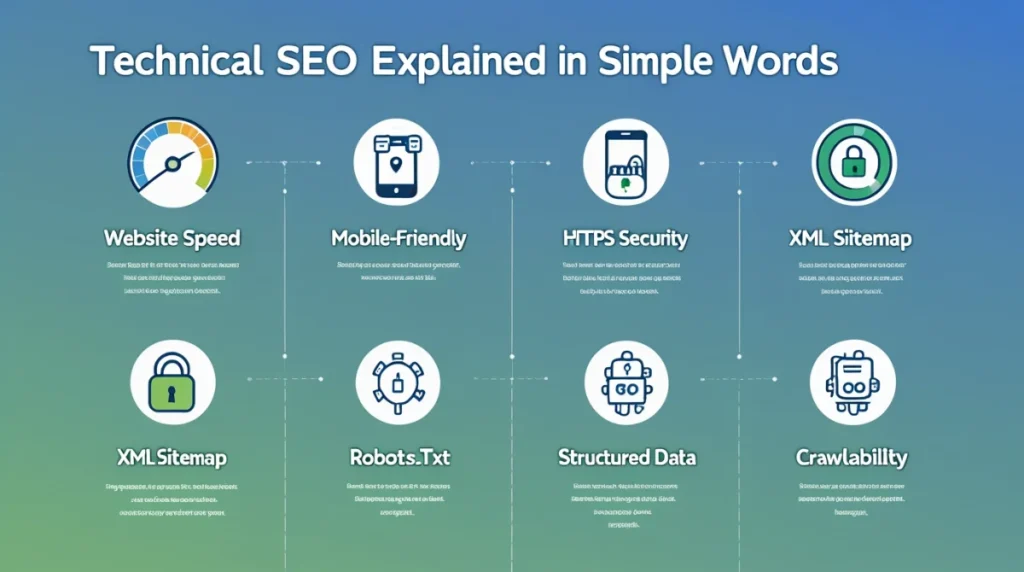
7. Core Web Vitals Optimization
Core Web Vitals are specific factors that Google considers important in a webpage’s overall user experience. They consist of three metrics:
Largest Contentful Paint (LCP)
Measures loading performance. LCP should occur within 2.5 seconds of when the page first starts loading.
Improving LCP:
- Optimize server response times
- Remove render-blocking resources
- Optimize images and video
- Use faster hosting
First Input Delay (FID)
Measures interactivity. Pages should have an FID of less than 100 milliseconds.
Improving FID:
- Minimize JavaScript execution time
- Break up long tasks
- Use a web worker for complex calculations
- Reduce third-party code impact
Cumulative Layout Shift (CLS)
Measures visual stability. Pages should maintain a CLS of less than 0.1.
Improving CLS:
- Include size attributes on images and videos
- Reserve space for ad slots
- Avoid inserting content above existing content
- Use transform animations instead of property animations
8. Crawlability and Indexability
Ensuring that search engines can crawl and index your content is fundamental to technical SEO.
Improving Crawlability:
Site Architecture:
- Create a logical site structure
- Implement proper internal linking
- Use breadcrumb navigation
- Keep important pages within 3 clicks from homepage
Fix Crawl Errors:
- Monitor Google Search Console for crawl errors
- Fix 404 errors or implement proper redirects
- Resolve server errors (5xx errors)
- Address DNS errors promptly
Crawl Budget Optimization:
- Remove or noindex thin content pages
- Fix redirect chains
- Eliminate duplicate content
- Use canonical tags properly
Controlling Indexation:
Meta Robots Tags:
- Use
noindexfor pages you don’t want indexed - Use
nofollowto prevent passing link equity - Combine directives when necessary (noindex, nofollow)
Canonical Tags:
- Implement self-referencing canonical tags on all pages
- Point duplicate content to the preferred version
- Use absolute URLs in canonical tags
- Ensure canonical tags are in the <head> section
9. URL Structure Optimization
Clean, descriptive URLs help both users and search engines understand what a page is about.
URL Best Practices:
- Keep URLs short and descriptive
- Use hyphens to separate words, not underscores
- Use lowercase letters only
- Include target keywords naturally
- Avoid unnecessary parameters and session IDs
- Create a logical hierarchy (site.com/category/subcategory/page)
Good URL Example: https://megafreetools.com/seo-tools/technical-seo-guide
Bad URL Example: https://megafreetools.com/page?id=12345&session=xyz
10. Fix Broken Links and Redirect Chains
Broken links create poor user experiences and waste crawl budget.
Managing Broken Links:
- Regularly audit your site for broken links
- Use tools like Screaming Frog or Ahrefs
- Fix or remove broken internal links
- Implement 301 redirects for broken URLs with backlinks
- Monitor 404 errors in Google Search Console
Avoiding Redirect Chains:
- Redirect directly to the final destination
- Don’t create chains (A→B→C), use direct redirects (A→C)
- Regularly audit redirect chains
- Update internal links to point to final URLs
Best Technical SEO Tools
Free Tools:
- Google Search Console – Essential for monitoring site health
- Google PageSpeed Insights – Speed testing and optimization tips
- Screaming Frog SEO Spider (Free version) – Site auditing
- Google Mobile-Friendly Test – Mobile optimization checking
- Bing Webmaster Tools – Additional search engine insights
Premium Tools:
- Ahrefs – Comprehensive SEO toolkit with site audit features
- SEMrush – Technical SEO auditing and monitoring
- Moz Pro – Site crawling and issue detection
- DeepCrawl – Enterprise-level technical SEO platform
- Sitebulb – Desktop crawler with visualization features
Technical SEO Checklist for 2026
Here’s a comprehensive checklist to ensure your technical SEO is on point:
Speed and Performance:
- ✅ Website loads in under 3 seconds
- ✅ Core Web Vitals pass thresholds
- ✅ Images are optimized and compressed
- ✅ Browser caching is enabled
- ✅ CDN is implemented
Mobile Optimization:
- ✅ Site is fully responsive
- ✅ Mobile usability issues are resolved
- ✅ Touch elements are properly sized
- ✅ Text is readable without zooming
Security:
- ✅ SSL certificate is installed and valid
- ✅ All pages redirect to HTTPS
- ✅ Mixed content warnings are fixed
- ✅ Security headers are implemented
Crawling and Indexing:
- ✅ XML sitemap is created and submitted
- ✅ Robots.txt is properly configured
- ✅ Crawl errors are monitored and fixed
- ✅ Important pages are indexable
- ✅ Duplicate content is resolved
Site Architecture:
- ✅ URL structure is clean and logical
- ✅ Internal linking is strong
- ✅ Navigation is clear and intuitive
- ✅ Breadcrumbs are implemented
Technical Elements:
- ✅ Canonical tags are implemented correctly
- ✅ Structured data is added where appropriate
- ✅ Meta robots tags are used properly
- ✅ Hreflang tags for international sites
Common Technical SEO Mistakes to Avoid
- Blocking Important Resources – Don’t block CSS or JavaScript in robots.txt
- Ignoring Mobile Users – With mobile-first indexing, this is critical
- Slow Page Speed – Users and search engines both hate slow sites
- Missing or Incorrect Canonical Tags – Can cause duplicate content issues
- Redirect Chains – Waste crawl budget and slow down page loading
- Mixed Content Warnings – Undermines HTTPS security
- Poor Internal Linking – Makes it hard for search engines to discover content
- Ignoring Search Console Errors – These are free insights you shouldn’t ignore
Conclusion
Technical SEO forms the foundation of any successful SEO strategy. While content and backlinks are important, without proper technical optimization, your website will struggle to achieve its full potential in search rankings.
By implementing the strategies outlined in this guide—from optimizing website speed and mobile responsiveness to proper use of sitemaps, structured data, and security protocols—you’ll create a solid technical foundation that helps search engines crawl, understand, and rank your content effectively.
Remember that technical SEO is not a one-time task. Search engines constantly update their algorithms, and your website continuously evolves. Regular audits and ongoing optimization are essential to maintain and improve your search visibility.
Start with the technical SEO checklist provided in this guide, use the recommended tools to identify issues, and systematically work through improvements. The investment in technical SEO will pay dividends in improved rankings, better user experience, and increased organic traffic.
For more comprehensive SEO resources and free tools to help with your technical SEO optimization, visit Mega Free Toolsman where you’ll find everything you need to succeed in your SEO journey.
Related Resources:
- On-Page SEO Complete Guide
- Off-Page SEO and Backlink Building Strategies
- Best Free Keyword Research Tools
- How to Increase Website Speed Step by Step
- Core Web Vitals Optimization Guide
- Google Search Console Tutorial for Beginners
External References:
- Google Search Central Documentation
- Google PageSpeed Insights Official Tool
- Schema.org Structured Data Guidelines
- Web.dev Performance Best Practices