
Ever struggled to remove a distracting background from a photo for your presentation or social media post? You’re not alone. Background removal used to require expensive software and professional skills, but in 2026, powerful AI online tools have made this task incredibly simple and completely free. Whether you’re a student creating a portfolio, a small business owner designing marketing materials, or a freelancer working on client projects, free background remove tools can save you time and money while delivering professional results.
In this detailed comparison, I’ll walk you through the best free online background remover options available today, showing you exactly what each tool offers and helping you choose the right one for your needs.
What Are Background Remove Tools?
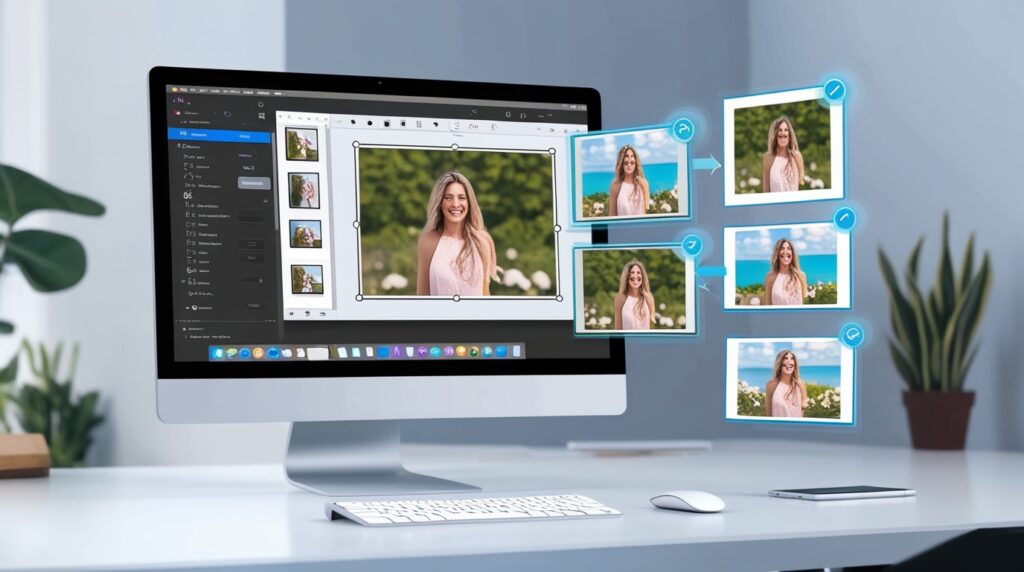
Background remove tools are browser-based applications that automatically detect and eliminate backgrounds from images, leaving you with clean, transparent background images or allowing you to replace the original backdrop with something new. These online image tools use artificial intelligence and machine learning to distinguish between the main subject and the background, making what used to be a tedious manual process nearly instant.
The technology behind these free online utilities has improved dramatically. Modern AI image processing tools can handle complex edges like hair, fur, and transparent objects with impressive accuracy. You simply upload your image, and within seconds, the tool delivers a professionally edited result.
What makes these tools particularly valuable is their accessibility. You don’t need Photoshop skills or expensive software licenses. These no software required tools work directly in your browser, meaning you can edit images from your laptop, tablet, or even your phone.
Why Background Removal Tools Matter in 2026
The digital landscape has transformed how we present ourselves and our work online. From LinkedIn profiles to e-commerce product listings, clean images with professional backgrounds make a significant difference in how you’re perceived.
For professionals in Pakistan and globally, these free AI tools online have become essential for several reasons. The rise of remote work means more video calls and digital presentations where professional imagery matters. Small businesses and entrepreneurs need product photos for their online stores but can’t always afford professional photography services. Students preparing portfolios for university applications or job searches need polished images that stand out.
According to recent industry data, images with clean backgrounds receive 40% more engagement on social media platforms compared to cluttered photos. For e-commerce, product images with white or transparent backgrounds can increase conversion rates by up to 30%. These statistics highlight why background remover online tools have become indispensable for digital content creation.
The convenience factor cannot be overstated. Traditional photo editing online free methods required learning complex software and spending hours on a single image. Today’s AI-powered online productivity tools complete the same task in seconds, letting you focus on what really matters—your content and message.
Top Free Online Background Remove Tools Compared
1. Remove.bg
Remove.bg pioneered the one-click background removal concept and remains one of the most popular image editing tools online. The tool uses advanced AI to automatically detect subjects in photos and remove backgrounds with remarkable precision.
Key Features:
- Instant processing for most images
- Handles complex edges like hair and fur effectively
- Supports both photos and illustrations
- Free tier allows unlimited previews with standard resolution downloads
Best for: Quick product photos, profile pictures, and general use where speed matters most.
2. Canva Background Remover
Canva’s background removal feature integrates seamlessly with their design platform, making it perfect for users who want to edit and design in one place. While Canva is known for graphic design, their background remover tool stands strong on its own.
Key Features:
- Integrated with full design suite
- Easy touch-up tools if AI misses spots
- Can immediately add new backgrounds or design elements
- Free users get limited monthly removals
Best for: Creating social media graphics, presentations, and marketing materials where you’ll use the edited image in a larger design.
3. Slazzer
Slazzer focuses specifically on e-commerce and product photography, offering tools tailored for online sellers and digital marketers. The platform uses AI specifically trained on product images.
Key Features:
- Bulk processing capabilities
- Automatic shadow and lighting adjustments
- Templates for common e-commerce formats
- API access for developers
Best for: Online store owners, dropshippers, and anyone managing large quantities of product images.
4. PhotoRoom
PhotoRoom positions itself as a complete photo editing studio in your browser. Beyond background removal, it offers professional finishing touches that elevate your images.
Key Features:
- Instant background removal with one tap
- Pre-designed templates for different use cases
- Smart shadow generation for realism
- Batch editing for multiple images
Best for: Creating professional-looking photos for resumes, business profiles, and marketing without design experience.
5. Pixlr
Pixlr is a comprehensive photo editing platform that includes powerful background removal alongside traditional editing tools. It’s essentially a free alternative to Photoshop with browser accessibility.
Key Features:
- Full photo editor with manual and AI removal options
- Layer support for complex compositions
- Extensive filter and adjustment tools
- Mobile and desktop versions
Best for: Users who need occasional background removal plus broader photo editing capabilities.
6. Mega Free Tools Background Remover
When exploring free tools for students and professionals, Mega Free Tools offers a comprehensive background removal solution alongside their suite of online converters and digital file management tools. Their platform focuses on simplicity and efficiency.
Key Features:
- No registration required for basic use
- Fast processing with AI-powered detection
- Clean, intuitive interface
- Part of larger toolkit including image & PDF tools
Why choose Mega Free Tools? The platform excels at providing multiple online tools without software installation in one convenient location. You can remove backgrounds, convert documents, and manage files all from a single browser tab. For users in Pakistan and developing markets, this consolidation of services saves bandwidth and time.
Best for: Anyone needing occasional background removal along with document conversion and file management in one place.
How to Choose the Right Background Removal Tool
Selecting the best free online background remove tools depends on your specific needs. Here’s a practical framework to help you decide:
Consider your volume: If you’re removing backgrounds from dozens of images weekly, look for tools with bulk processing or unlimited free tiers. For occasional use, any reputable tool will suffice.
Think about integration: Will you use the edited images immediately in designs? Choose tools like Canva that let you continue working. Planning to use images across different platforms? Standalone tools that simply export clean PNGs might be better.
Evaluate complexity: Product photos with clean lines are easier for AI than complex portraits with flyaway hair. Some tools handle intricate edges better than others. Test a few options with your typical image type.
Check file size limits: Free tiers often restrict input file sizes. If you’re working with high-resolution images, verify the tool can handle them before investing time in the platform.
Review output quality: Download samples at full resolution to confirm the tool meets your quality standards. Some compress images more than others during processin.
Understanding practical applications helps clarify the value of these browser-based tools. Let me share some real scenarios where background removal makes a tangible difference.
E-commerce Success: A small business owner in Lahore started selling handmade crafts online. By using free background remove tools to create clean product photos with white backgrounds, their listing clicks increased by 65% within two months. The professional appearance built trust with potential customers.
Career Advancement: A fresh graduate preparing job applications used an online background remover free tool to create a professional headshot from a casual photo. The polished image on their LinkedIn profile contributed to landing three interview calls in their first week of job hunting.
Educational Projects: Students at a Pakistani university used these transparent background images tools for their group presentation, removing distracting backgrounds from team photos and creating a cohesive visual identity. Their presentation received the highest marks in the class, partly due to its professional polish.
Content Creation: A freelance content creator uses AI background remover tool comparison regularly to prepare thumbnails for their YouTube channel. The ability to quickly create eye-catching visuals has contributed to a 40% increase in click-through rates.
c
Even with AI doing the heavy lifting, following best practices ensures optimal results from your chosen remove image background online tool.
Start with quality images: Higher resolution inputs yield better outputs. While these tools work with phone photos, using a decent camera or ensuring good lighting improves AI accuracy significantly.
Choose clear subjects: Images where the subject is clearly distinct from the background work best. Avoid photos where clothing colors blend into the background or where there’s minimal contrast.
Clean up manually if needed: Most tools offer refinement brushes. Spending 30 seconds touching up edges can transform a good result into a perfect one. Don’t rely entirely on automation if precision matters.
Save in the right format: PNG format preserves transparency, which is crucial if you’re adding new backgrounds later. JPEG doesn’t support transparency, so choose PNG when downloading your edited images.
Test different tools: Each AI processes images slightly differently. If one tool struggles with your image, another might handle it perfectly. Keep two or three favorites bookmarked for different situations.
The Future of Background Removal Technology
Looking ahead, AI image processing tools will only become more sophisticated. Current developments suggest several exciting improvements coming to online image tools.
Machine learning models are becoming better at understanding context, meaning they’ll make fewer mistakes distinguishing between what should stay and what should go. We’re already seeing tools that can handle reflections, shadows, and transparent materials more accurately.
Integration with other creative tools will deepen. Imagine removing a background and having AI automatically suggest complementary new backgrounds based on your image content and intended use. Some platforms are already experimenting with this.
Real-time processing during photo capture is another frontier. Mobile apps are beginning to offer background removal as you shoot, eliminating the upload and edit steps entirely.
For users in markets like Pakistan, improved compression algorithms will make these tools faster and more accessible on slower internet connections, ensuring that digital file management remains smooth regardless of infrastructure limitations.
Combining Background Removal with Other Free Online Tools
The true power of free online utilities emerges when you combine multiple tools strategically. After removing backgrounds, you might need to explore free tools at Mega Free Tools for document creation or image conversion.
For instance, you could remove backgrounds from multiple product images, then use a PDF merger free tool to combine them into a catalog. Or remove the background from a certificate photo, convert it with a JPG to PDF converter, and email it professionally formatted.
This ecosystem approach—using browser-based tools for complete workflows rather than single tasks—is becoming the standard for digital professionals. It’s cost-effective, requires no software installation, and works seamlessly across devices.
Why Free Doesn’t Mean Low Quality
There’s often skepticism about free tools, but modern online background remover free options deliver professional results that rival expensive software for most use cases. The difference comes down to business models.
Many platforms offer free tiers supported by premium features for power users. They’re using free access to build user bases while monetizing through subscriptions, bulk processing, or API access for businesses. This means the free tools must be genuinely good to attract users who might eventually upgrade.
Additionally, open-source AI models and cloud computing have reduced the cost of running these services dramatically. What cost thousands to operate five years ago now costs pennies, allowing companies to offer powerful features freely.
For students, freelancers, and small businesses, this democratization of tools is transformative. You can now create professional-quality content without significant investment in software or training.
Frequently Asked Questions
How do I remove the background from an image for free online? Upload your image to a free background removal tool like Remove.bg, Canva, or Mega Free Tools. The AI automatically detects and removes the background within seconds. Download the result as a PNG file with transparency. No technical skills or software installation required.
What is the best free online background removal tool in 2026? The best tool depends on your needs. Remove.bg excels at speed and accuracy for general use. Canva works best if you’re creating designs. PhotoRoom is ideal for professional photos. Mega Free Tools offers convenience if you need multiple online utilities in one place. Try several to find your preference.
Can I remove backgrounds from multiple images at once? Yes, several tools offer batch processing. Slazzer specializes in bulk removal for e-commerce. PhotoRoom allows multiple uploads in their app. Free tiers typically limit batch sizes, while paid versions handle unlimited quantities. For occasional bulk needs, process images in groups.
Are AI background removal tools accurate? Modern AI tools achieve 90-95% accuracy on clear images with distinct subjects. They handle complex edges like hair much better than older software. However, challenging scenarios—like removing backgrounds from transparent objects or matching colors—may require manual touch-ups using the refinement tools most platforms provide.
Do I need to download software to remove backgrounds? No, these browser-based tools work entirely online without downloads or installation. Simply visit the website, upload your image, and download the edited result. This makes them accessible from any device with internet access, whether computer, tablet, or smartphone.
Can I use background-removed images commercially? Most free tools allow commercial use of edited images, provided you own the rights to the original photo. Always check the specific tool’s terms of service. For sensitive commercial projects, consider premium versions that explicitly include commercial licenses and priority support.
Conclusion
Background remove tools have revolutionized image editing, making professional results accessible to everyone regardless of technical skill or budget. Whether you’re enhancing product photos for your online store, creating polished profile pictures, or designing marketing materials, these free online tools deliver impressive quality without the learning curve of traditional software.
The tools we’ve compared—from industry leaders like Remove.bg to comprehensive platforms like Mega Free Tools—each offer unique strengths. The best approach is keeping several options bookmarked and choosing based on your specific task. For quick product photos, one tool might excel. For images you’ll incorporate into larger designs, another might be better.
As AI technology continues improving, these tools will only become more powerful and accessible. The barrier to creating professional visual content has never been lower, opening opportunities for students, entrepreneurs, and creatives worldwide.
Ready to transform your images? Start by testing a few of the tools mentioned above with your own photos. Experience firsthand how quickly you can achieve professional results. And when you need more than just background removal, explore free tools at Mega Free Tools where you’ll find a complete suite of online converters, document editors, and productivity utilities—all designed to make your digital work easier, faster, and completely free.
The future of digital content creation is accessible, AI-powered, and remarkably straightforward. These background removal tools are just the beginning of what’s possible when technology meets creativity.